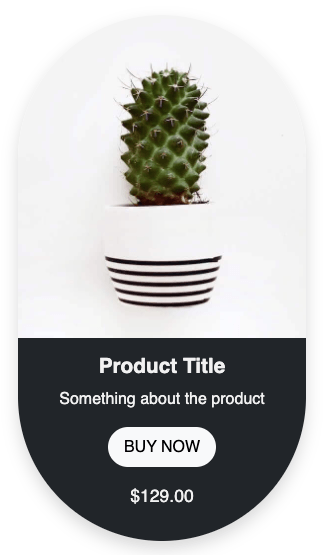
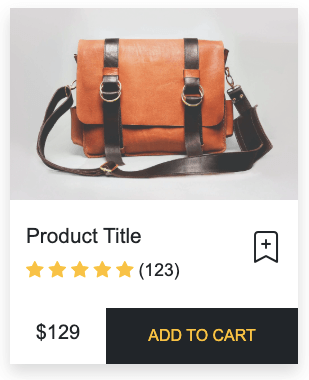
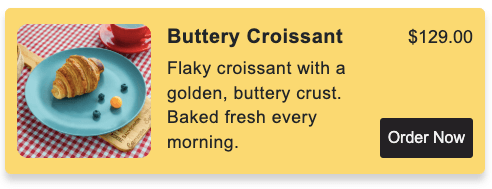
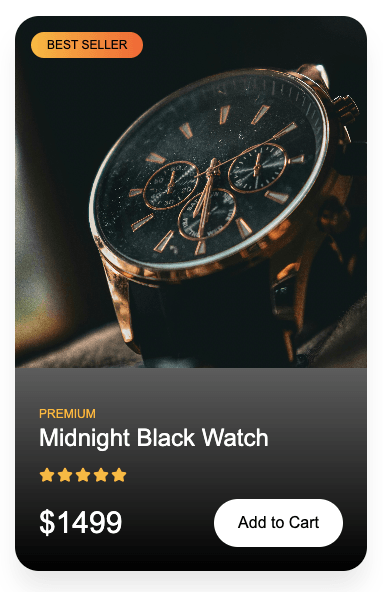
This product card HTML CSS tutorial shows you how to build a clean editorial-style product card with a best seller badge, a decorative corner frame over the image, a bold product title with a red accent underline, and a price and add to cart row at the bottom. The corner frame effect is created using four absolutely positioned spans. Each shows only two sides of a border, so together they form the four corners of the frame.
Final output:
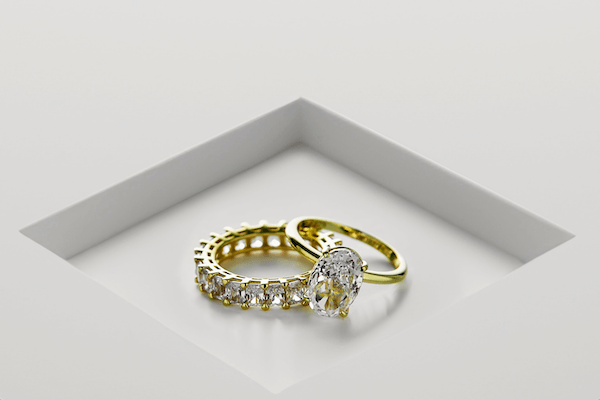
Aurora.
An 18k yellow gold bridal set. Oval-cut solitaire paired with a full eternity diamond band. Claw-prong setting, high-polish finish.
Steps for Product Card HTML CSS #7:
1. Link the Hanken Grotesk font from Google Fonts in the head.
<link rel="preconnect" href="https://fonts.googleapis.com">
<link rel="preconnect" href="https://fonts.gstatic.com" crossorigin>
<link href="https://fonts.googleapis.com/css2?family=Hanken+Grotesk:ital,wght@0,100..900;1,100..900&display=swap" rel="stylesheet">
Let’s start with a .product-card div. Inside it, add a .product-card-top div with two spans for the badge and style number.
<div class="product-card">
    <div class="product-card-top">
        <span>Best Seller</span>
        <span>Style No. 4471</span>
    </div>
</div>
Then reset margins, set Hanken Grotesk as the font family, and define a CSS variable for the red accent color on root so you can reuse it throughout. Style the card with a max-width, a warm off-white background, and a dark border.
* {
    margin: 0;
    box-sizing: border-box;
}
body {
    font-family: "Hanken Grotesk", sans-serif;
}
:root {
    --red: hsl(0, 100%, 42%);
}
.product-card {
    max-width: 24rem;
    background-color: hsla(43, 30%, 95%, 50%);
    border: 1px solid hsl(0, 0%, 4%);
}
Style .product-card-top with flexbox and the justify-content property set to space-between so the badge and style number sit at opposite ends. Add a bottom border to separate it from the image below.
Then style the first span with the red accent color and a small square dot before it using a ::before pseudo-element. Set the position property to absolute on the dot and the position property to relative on the span so the dot sits flush to the left of the text.
.product-card .product-card-top {
    display: flex;
    justify-content: space-between;
    align-items: center;
    gap: .5rem;
    padding: .675rem 1.25rem;
    border-bottom: 1px solid hsl(0, 0%, 4%);
}
.product-card .product-card-top span {
    font-weight: 400;
    font-size: .675rem;
    line-height: 1.3;
    letter-spacing: 1.8px;
    text-transform: uppercase;
    color: hsl(49, 5%, 40%);
}
.product-card .product-card-top span:first-child {
    font-weight: 500;
    letter-spacing: 2.16px;
    color: var(--red);
    padding-left: .875rem;
    position: relative;
}
.product-card .product-card-top span:first-child::before {
    position: absolute;
    left: 0;
    top: 50%;
    transform: translateY(-50%);
    content: "";
    width: .375rem;
    height: .375rem;
    background-color: var(--red);
}
Output:
2. Add the .img-wrapper div after .product-card-top. Inside it, add the product image and four corner span elements.
<div class="img-wrapper">
    <img src="rings.png" alt="">
    <span class="corner-1"></span>
    <span class="corner-2"></span>
    <span class="corner-3"></span>
    <span class="corner-4"></span>
</div>
Set the position property to relative on .img-wrapper so the corner spans can be placed inside it using absolute positioning. Give it a fixed height and set the object fit property to cover on the image so it fills the wrapper without stretching. Each corner span only shows two sides of a border using selective border widths, so together they create a decorative frame inside the image corners.
.product-card .img-wrapper {
    width: 100%;
    height: 18rem;
    position: relative;
}
.product-card .img-wrapper img {
    width: 100%;
    height: 100%;
    object-fit: cover;
}
.product-card .corner-1,
.product-card .corner-2,
.product-card .corner-3,
.product-card .corner-4 {
    position: absolute;
    width: .75rem;
    height: .75rem;
    border-style: solid;
    border-color: #0A0A0A;
}
.product-card .corner-1 {
    left: .5rem;
    top: .5rem;
    border-width: 1px 0px 0px 1px;
}
.product-card .corner-2 {
    right: .5rem;
    top: .5rem;
    border-width: 1px 1px 0px 0px;
}
.product-card .corner-3 {
    left: .5rem;
    bottom: .5rem;
    border-width: 0px 0px 1px 1px;
}
.product-card .corner-4 {
    right: .5rem;
    bottom: .5rem;
    border-width: 0px 1px 1px 0px;
}
Output:
3. Add the .product-card-body div after the image. Inside it, add the product title heading and a description paragraph.
<div class="product-card-body">
    <h3 class="product-title">Aurora<span>.</span></h3>
    <p class="product-description">An 18k yellow gold bridal set. Oval-cut solitaire paired with a full eternity diamond band. Claw-prong setting, high-polish finish.</p>
</div>
Add top and bottom borders on .product-card-body using the border block property to visually separate it from the image above and the price row below. Style the title with a heavy font weight, a tight line height, and uppercase text.
Set the position property to relative on the title so the short red underline can be placed below it using a ::after pseudo-element. The span inside the title gets the red accent color so the period stands out as a design detail. Style the description with a smaller muted font for a clear visual hierarchy.
.product-card .product-card-body {
    padding: 1.25rem;
    border-block: 1px solid hsl(0, 0%, 4%);
}
.product-card .product-title {
    font-weight: 900;
    font-size: 2rem;
    line-height: .9;
    letter-spacing: -0.8px;
    text-transform: uppercase;
    position: relative;
    padding-bottom: .5rem;
    margin-bottom: .5rem;
}
.product-card .product-title span {
    color: var(--red);
}
.product-card .product-title::after {
    position: absolute;
    bottom: 0;
    left: 0;
    content: "";
    width: 34px;
    height: 3px;
    background: var(--red);
}
.product-card .product-description {
    font-size: .875rem;
    line-height: 1.5;
    color: hsl(49, 5%, 40%);
}
Output:
Aurora.
An 18k yellow gold bridal set. Oval-cut solitaire paired with a full eternity diamond band. Claw-prong setting, high-polish finish.
4. Finally, add the .product-card-bottom div with the price span and an “Add to Cart” link.
<div class="product-card-bottom">
    <span class="product-price">6,200.00</span>
    <a href="#">
        <span>Add to Cart</span>
        <svg width="13" height="5" viewBox="0 0 13 5" fill="none" xmlns="http://www.w3.org/2000/svg">
            <path d="M9.45052 4.21172C9.63052 3.82772 9.80452 3.49172 9.97252 3.20372C10.1525 2.91572 10.3265 2.67572 10.4945 2.48372H0.000515878V1.72772H10.4945C10.3265 1.52372 10.1525 1.27772 9.97252 0.989718C9.80452 0.701718 9.63052 0.371718 9.45052 -0.000281632H10.0805C10.8365 0.875719 11.6285 1.52372 12.4565 1.94372V2.26772C11.6285 2.67572 10.8365 3.32372 10.0805 4.21172H9.45052Z" fill="#F7F5F0" />
        </svg>
    </a>
</div>
Use flexbox with the justify-content property set to space-between and the align-items property set to stretch on .product-card-bottom so the price and button fill the full height of the row. Style the price with a heavy font weight and a large font size. Style the “Add to Cart” link with a dark background and a light text color, since it acts as the primary call to action on the card.
.product-card .product-card-bottom {
    display: flex;
    justify-content: space-between;
    align-items: stretch;
    gap: .5rem;
}
.product-card .product-price {
    font-weight: 900;
    font-size: 1.563rem;
    line-height: 1;
    letter-spacing: -0.64px;
    padding: 1.25rem;
    display: inline-block;
}
.product-card .product-card-bottom a {
    display: flex;
    justify-content: center;
    align-items: center;
    gap: .5rem;
    text-decoration: none;
    padding: 1.25rem 2.5rem;
    font-weight: 500;
    font-size: .675rem;
    line-height: 1;
    letter-spacing: 1.8px;
    text-transform: uppercase;
    color: hsl(43, 30%, 95%);
    background-color: hsl(0, 0%, 4%);
}
Output:
Aurora.
An 18k yellow gold bridal set. Oval-cut solitaire paired with a full eternity diamond band. Claw-prong setting, high-polish finish.
Final Output Code for HTML CSS Product Card #7:
HTML
<div class="product-card">
    <div class="product-card-top">
        <span>Best Seller</span>
        <span>Style No. 4471</span>
    </div>
    <div class="img-wrapper">
        <img src="rings.png" alt="">
        <span class="corner-1"></span>
        <span class="corner-2"></span>
        <span class="corner-3"></span>
        <span class="corner-4"></span>
    </div>
    <div class="product-card-body">
        <h3 class="product-title">Aurora<span>.</span></h3>
        <p class="product-description">An 18k yellow gold bridal set. Oval-cut solitaire paired with a full eternity
            diamond band. Claw-prong
            setting, high-polish finish.</p>
    </div>
    <div class="product-card-bottom">
        <span class="product-price">6,200.00</span>
        <a href="#"><span>Add to Cart</span>
            <svg width="13" height="5" viewBox="0 0 13 5" fill="none" xmlns="http://www.w3.org/2000/svg">
                <path
                    d="M9.45052 4.21172C9.63052 3.82772 9.80452 3.49172 9.97252 3.20372C10.1525 2.91572 10.3265 2.67572 10.4945 2.48372H0.000515878V1.72772H10.4945C10.3265 1.52372 10.1525 1.27772 9.97252 0.989718C9.80452 0.701718 9.63052 0.371718 9.45052 -0.000281632H10.0805C10.8365 0.875719 11.6285 1.52372 12.4565 1.94372V2.26772C11.6285 2.67572 10.8365 3.32372 10.0805 4.21172H9.45052Z"
                    fill="#F7F5F0" />
            </svg>

        </a>
    </div>
</div>
CSS
* {
    margin: 0;
    box-sizing: border-box;
}
body {
    font-family: "Hanken Grotesk", sans-serif;
}
:root {
    --red: hsl(0, 100%, 42%);
}
.product-card {
    max-width: 24rem;
    background-color: hsla(43, 30%, 95%, 50%);
    border: 1px solid hsl(0, 0%, 4%);
}
.product-card .product-card-top {
    display: flex;
    justify-content: space-between;
    align-items: center;
    gap: .5rem;
    padding: .675rem 1.25rem;
    border-bottom: 1px solid hsl(0, 0%, 4%);
}
.product-card .product-card-top span {
    font-weight: 400;
    font-size: .675rem;
    line-height: 1.3;
    letter-spacing: 1.8px;
    text-transform: uppercase;
    color: hsl(49, 5%, 40%);
}
.product-card .product-card-top span:first-child {
    font-weight: 500;
    letter-spacing: 2.16px;
    color: var(--red);
    padding-left: .875rem;
    position: relative;
}
.product-card .product-card-top span:first-child::before {
    position: absolute;
    left: 0;
    top: 50%;
    transform: translateY(-50%);
    content: "";
    width: .375rem;
    height: .375rem;
    background-color: var(--red);
}
.product-card .img-wrapper {
    width: 100%;
    height: 18rem;
    position: relative;
}
.product-card .img-wrapper img {
    width: 100%;
    height: 100%;
    object-fit: cover;
}
.product-card .corner-1,
.product-card .corner-2,
.product-card .corner-3,
.product-card .corner-4 {
    position: absolute;
    width: .75rem;
    height: .75rem;
    border-style: solid;
    border-color: #0A0A0A;
}
.product-card .corner-1 {
    left: .5rem;
    top: .5rem;
    border-width: 1px 0px 0px 1px;
}
.product-card .corner-2 {
    right: .5rem;
    top: .5rem;
    border-width: 1px 1px 0px 0px;
}
.product-card .corner-3 {
    left: .5rem;
    bottom: .5rem;
    border-width: 0px 0px 1px 1px;
}
.product-card .corner-4 {
    right: .5rem;
    bottom: .5rem;
    border-width: 0px 1px 1px 0px;
}
.product-card .product-card-body {
    padding: 1.25rem;
    border-block: 1px solid hsl(0, 0%, 4%);
}
.product-card .product-title {
    font-weight: 900;
    font-size: 2rem;
    line-height: .9;
    letter-spacing: -0.8px;
    text-transform: uppercase;
    position: relative;
    padding-bottom: .5rem;
    margin-bottom: .5rem;
}
.product-card .product-title span {
    color: var(--red);
}
.product-card .product-title::after {
    position: absolute;
    bottom: 0;
    left: 0;
    content: "";
    width: 34px;
    height: 3px;
    background: var(--red);
}
.product-card .product-description {
    font-size: .875rem;
    line-height: 1.5;
    color: hsl(49, 5%, 40%);
}
.product-card .product-card-bottom {
    display: flex;
    justify-content: space-between;
    align-items: stretch;
    gap: .5rem;
}
.product-card .product-price {
    font-weight: 900;
    font-size: 1.563rem;
    line-height: 1;
    letter-spacing: -0.64px;
    padding: 1.25rem;
    display: inline-block;
}
.product-card .product-card-bottom a {
    display: flex;
    justify-content: center;
    align-items: center;
    gap: .5rem;
    text-decoration: none;
    padding: 1.25rem 2.5rem;
    font-weight: 500;
    font-size: .675rem;
    line-height: 1;
    letter-spacing: 1.8px;
    text-transform: uppercase;
    color: hsl(43, 30%, 95%);
    background-color: hsl(0, 0%, 4%);
}
If you have any doubts or stuck somewhere, you can reach out through Coding Yaar's Discord server.