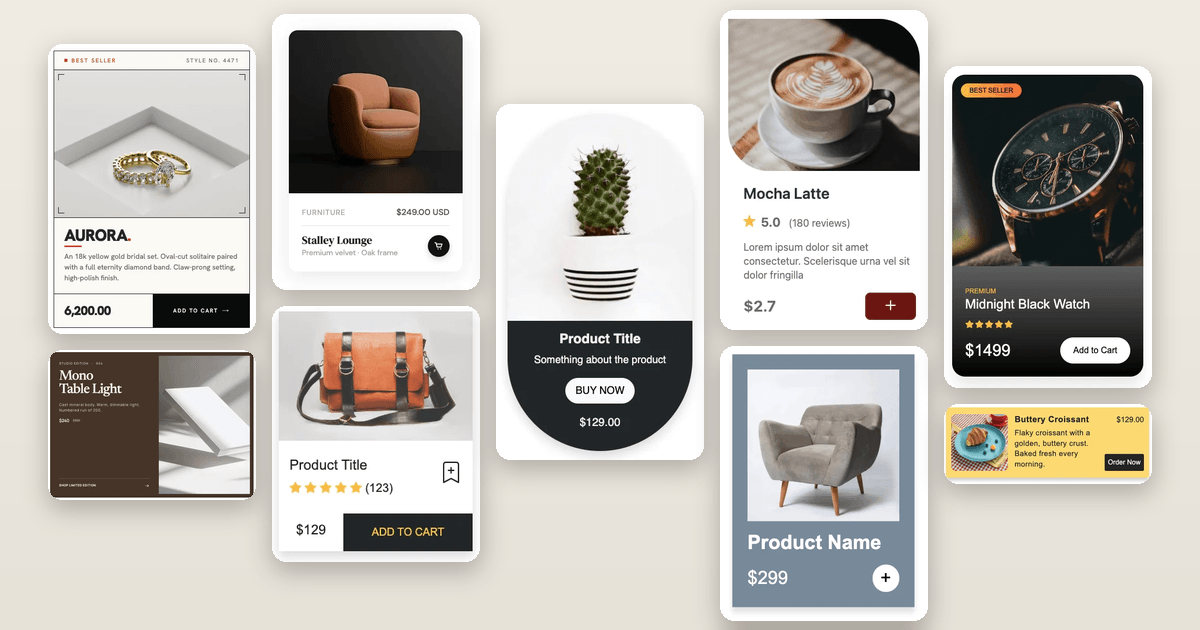
This product card HTML CSS tutorial shows you how to build a pill-shaped product card with a dark card body. The card uses a large border-radius on the outer wrapper combined with overflow hidden to clip both the image and the card body inside the rounded shape.
Final output:
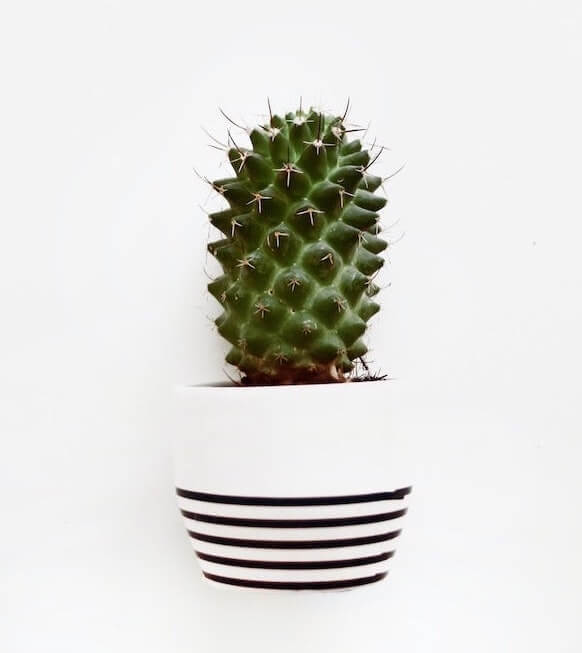
1. Let’s start with a .product-card div. Inside it, add the product image and a .card-body div.
<div class="product-card">
    <img src="cactus.jpg" alt="">
    <div class="card-body"></div>
</div>
Reset margins, set the font family, and style the card with a max-width and a large border-radius to give it that pill shape. Set the overflow to hidden so the image stays clipped inside the rounded corners. Add a box-shadow to lift the card off the background.
* {
    margin: 0;
    box-sizing: border-box;
}
body {
    font-family: Arial, Helvetica, sans-serif;
}
.product-card {
    max-width: 18rem;
    border-radius: 50rem;
    overflow: hidden;
    text-align: center;
    box-shadow: 0 .5rem 1rem rgba(0, 0, 0, .15);
}
.product-card img {
    max-width: 100%;
}
Output:
2. Fill in .card-body with the product title, description, a buy now link, and the price.
<div class="card-body">
    <h3 class="card-title">Product Title</h3>
    <p class="card-text">Something about the product</p>
    <a href="#" role="button">BUY NOW</a>
    <span>$129.00</span>
</div>
Give the card body a dark background with light text. Use padding to add some breathing room inside. Style the title with a larger font size, bold weight, and capitalize the text transform so the first letter of each word is uppercased.
.product-card .card-body {
    padding: 1rem;
    background-color: #212529;
    color: #f1f1f1;
}
.product-card .card-title {
    font-size: 1.3rem;
    font-weight: 700;
    margin-bottom: .5rem;
    text-transform: capitalize;
    line-height: 1.2;
}
.product-card .card-text {
    font-size: 1rem;
    margin-bottom: 1rem;
}
Output:
3. Style the buy now link as a pill-shaped button with a light background and dark text. Set the display to inline-block since anchor tags are inline by default, which means padding and margin won’t apply correctly without it. Add a bottom margin to space it away from the price below. button to add the product to the cart.
.product-card .card-body a {
    border-radius: 50rem;
    padding: .5rem 1rem;
    background-color: #f8f9fa;
    color: #000;
    text-decoration: none;
    display: inline-block;
    margin-bottom: 1rem;
}

.product-card .card-body span {
    display: block;
    margin-bottom: 1rem;
}
Output:
Final Output Code for Responsive HTML CSS Product Card #6:
HTML
<div class="product-card">
    <img src="cactus.jpg" alt="">
    <div class="card-body">
        <h3 class="card-title">Product Title</h3>
        <p class="card-text">Something about the product</p>
        <a href="#" role="button">BUY NOW</a>
        <span>$129.00</span>
    </div>
</div>
CSS
* {
    margin: 0;
    box-sizing: border-box;
}
body {
    font-family: Arial, Helvetica, sans-serif;
}
.product-card {
    max-width: 18rem;
    border-radius: 50rem;
    overflow: hidden;
    text-align: center;
    box-shadow: 0 .5rem 1rem rgba(0, 0, 0, .15);
}
.product-card img {
    max-width: 100%;
}
.product-card .card-body {
    padding: 1rem;
    background-color: #212529;
    color: #f1f1f1;
}
.product-card .card-title {
    font-size: 1.3rem;
    font-weight: 700;
    margin-bottom: .5rem;
    text-transform: capitalize;
    line-height: 1.2;
}
.product-card .card-text {
    font-size: 1rem;
    margin-bottom: 1rem;
}
.product-card .card-body a {
    border-radius: 50rem;
    padding: .5rem 1rem;
    background-color: #f8f9fa;
    color: #000;
    text-decoration: none;
    display: inline-block;
    margin-bottom: 1rem;
}
.product-card .card-body span {
    display: block;
    margin-bottom: 1rem;
}
If you have any doubts or stuck somewhere, you can reach out through Coding Yaar's Discord server.