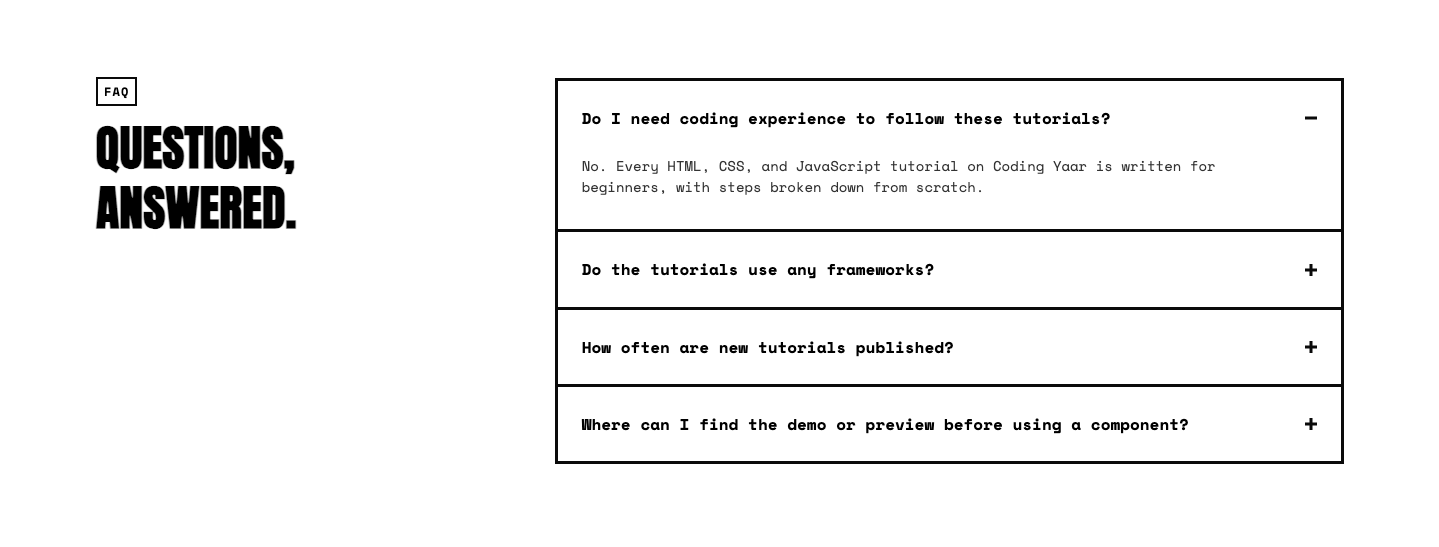
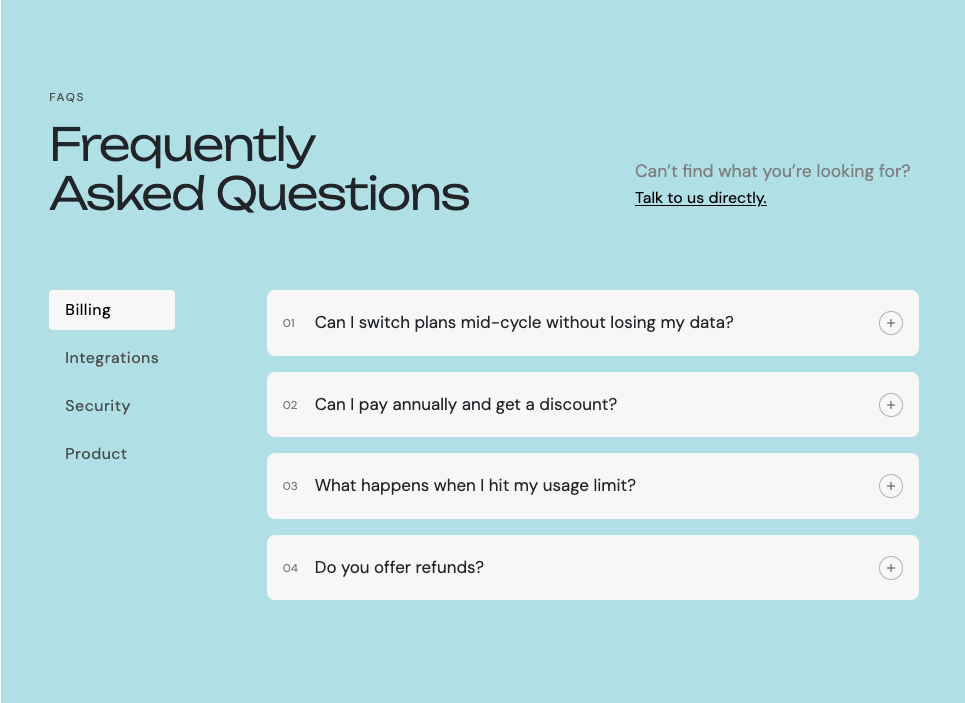
This FAQ accordion section HTML CSS JavaScript tutorial shows you how to build a responsive FAQ section with a smooth open and close animation. No libraries needed, just plain HTML, CSS, and a little JavaScript.
Final output:
Common Questions.
Answers to common questions about HTML, CSS, and JavaScript tutorials on Coding Yaar. Can’t find what you’re looking for? Check out more FAQs below.
Contact SupportDo I need coding experience to follow these tutorials?
No. Every HTML, CSS, and JavaScript tutorial on Coding Yaar is written for beginners, with steps broken down from scratch.
Do the tutorials use any frameworks?
No. Coding Yaar focuses on plain HTML, CSS, and JavaScript, so you understand the fundamentals without relying on a framework.
How often are new tutorials published?
New web development tutorials are added regularly, covering UI components, animations, and beginner JS concepts.
Where can I find the demo or preview before using a component?
Every tutorial includes a live preview so you can see how it looks and behaves before adding it to your site.
1. Let’s start with a section element with the class section-faq. Inside it, add a .faq-wrapper div with .faq-left-wrapper and .faq-right-wrapper inside it.
<section class="section-faq">
    <div class="faq-wrapper">
        <div class="faq-left-wrapper"></div>
        <div class="faq-right-wrapper"></div>
    </div>
</section>
Link the Inter font from Google Fonts in the head. Reset margins, set the font family, and add line-height to the body.
* {
    margin: 0;
    box-sizing: border-box;
}
body {
    font-family: "Inter", sans-serif;
    line-height: 1.5;
}
Style .faq-wrapper with a two-column grid. The left column takes up 1fr and the right column takes up 2fr, giving more space to the FAQ items. Use margin-inline: auto with a max-width to keep it centered on large screens.
.section-faq .faq-wrapper {
    padding: 10vw 1.5rem;
    max-width: 100rem;
    margin-inline: auto;
    display: grid;
    gap: 2rem 4rem;
    grid-template-columns: 1fr 2fr;
}
On mobile, collapse to a single column so the two sides stack on top of each other.
@media screen and (max-width: 769px) {
    .section-faq .faq-wrapper {
        grid-template-columns: 1fr;
    }
}
I am using Inter font here.
<link rel="preconnect" href="https://fonts.googleapis.com">
<link rel="preconnect" href="https://fonts.gstatic.com" crossorigin>
<link href="https://fonts.googleapis.com/css2?family=Inter:ital,opsz,wght@0,14..32,100..900;1,14..32,100..900&display=swap"
        rel="stylesheet">
2. Fill in .faq-left-wrapper with the label, heading, description, and a contact link.
<div class="faq-left-wrapper">
    <span>Inquiry</span>
    <h2>Common Questions.</h2>
    <p>Answers to common questions about HTML, CSS, and JavaScript tutorials on Coding Yaar. Can't find what you're looking for? Check out more FAQs below.</p>
    <a href="https://www.codingyaar.com/contact" target="_blank">Contact Support</a>
</div>
Style the label and heading. Use clamp() on the font size so the heading scales smoothly between screen sizes.
.section-faq .faq-left-wrapper {
    max-width: 30rem;
}
.section-faq .faq-left-wrapper span {
    color: #71717a;
    letter-spacing: 1px;
    text-transform: uppercase;
    font-size: .75rem;
    font-weight: 700;
}
.section-faq .faq-left-wrapper h2 {
    margin-top: 1.5rem;
    margin-bottom: 1.5rem;
    letter-spacing: -2.4px;
    font-size: clamp(2.25rem, calc(3.5vw + 1rem), 3rem);
    line-height: 1;
    text-transform: uppercase;
    font-weight: 700;
}
.section-faq .faq-left-wrapper p {
    color: #71717a;
    font-size: 1rem;
}
Style the contact link. Set display: inline-block on it so the margin-top applies correctly, since anchor tags are inline by default.
.section-faq .faq-left-wrapper a {
    display: inline-block;
    margin-top: 2rem;
    text-transform: uppercase;
    text-underline-offset: 3px;
    font-size: .75rem;
    font-weight: 700;
    text-decoration: underline;
    color: #000;
    transition: opacity .2s ease;
}
.section-faq .faq-left-wrapper a:hover {
    opacity: .8;
}
Output:
Common Questions.
Answers to common questions about HTML, CSS, and JavaScript tutorials on Coding Yaar. Can’t find what you’re looking for? Check out more FAQs below.
Contact Support3. Fill in .faq-right-wrapper with the FAQ items. Each item uses a details element to build the FAQ accordion, a native HTML element that handles show/hide without JavaScript by default.
The summary is the clickable question, and the .faq-content div holds the answer. Add open to the first details so it starts expanded. The .icon span inside each summary is used for the plus/minus indicator.
<div class="faq-right-wrapper">
    <details open>
        <summary>Do I need coding experience to follow these tutorials?<span class="icon"></span></summary>
        <div class="faq-content">
            <div>
                <p>No. Every HTML, CSS, and JavaScript tutorial on Coding Yaar is written for beginners, with steps broken down from scratch.</p>
            </div>
        </div>
    </details>
    <details>
        <summary>Do the tutorials use any frameworks?<span class="icon"></span></summary>
        <div class="faq-content">
            <div>
                <p>No. Coding Yaar focuses on plain HTML, CSS, and JavaScript, so you understand the fundamentals without relying on a framework.</p>
            </div>
        </div>
    </details>
    <!-- add more FAQs -->
</div>
Output:
Common Questions.
Answers to common questions about HTML, CSS, and JavaScript tutorials on Coding Yaar. Can’t find what you’re looking for? Check out more FAQs below.
Contact SupportDo I need coding experience to follow these tutorials?
No. Every HTML, CSS, and JavaScript tutorial on Coding Yaar is written for beginners, with steps broken down from scratch.
Do the tutorials use any frameworks?
No. Coding Yaar focuses on plain HTML, CSS, and JavaScript, so you understand the fundamentals without relying on a framework.
How often are new tutorials published?
New web development tutorials are added regularly, covering UI components, animations, and beginner JS concepts.
Where can I find the demo or preview before using a component?
Every tutorial includes a live preview so you can see how it looks and behaves before adding it to your site.
4. Add a bottom border on each details element. Style summary with flexbox to push the icon to the right. Remove the default browser arrow on summary using ::-webkit-details-marker.
.section-faq .faq-right-wrapper details {
    border-bottom: 1px solid #000;
    transition: border-color 0.15s ease;
}
.section-faq .faq-right-wrapper summary {
    padding: 2rem 0;
    cursor: pointer;
    list-style: none;
    display: flex;
    justify-content: space-between;
    gap: 1rem;
    align-items: center;
    letter-spacing: -.5px;
    text-transform: uppercase;
    font-size: 1.25rem;
    line-height: 1.5;
    font-weight: 700;
    transition: opacity .15s ease;
}
.section-faq .faq-right-wrapper summary:hover {
    opacity: .8;
}
.section-faq .faq-right-wrapper summary::-webkit-details-marker {
    display: none;
}
@media screen and (max-width: 769px) {
    .section-faq .faq-right-wrapper summary {
        padding: 1.5rem 0;
        font-size: 1.125rem;
    }
}
Output:
Common Questions.
Answers to common questions about HTML, CSS, and JavaScript tutorials on Coding Yaar. Can’t find what you’re looking for? Check out more FAQs below.
Contact SupportDo I need coding experience to follow these tutorials?
No. Every HTML, CSS, and JavaScript tutorial on Coding Yaar is written for beginners, with steps broken down from scratch.
Do the tutorials use any frameworks?
No. Coding Yaar focuses on plain HTML, CSS, and JavaScript, so you understand the fundamentals without relying on a framework.
How often are new tutorials published?
New web development tutorials are added regularly, covering UI components, animations, and beginner JS concepts.
Where can I find the demo or preview before using a component?
Every tutorial includes a live preview so you can see how it looks and behaves before adding it to your site.
5. Style the .icon span using ::before and ::after pseudo-elements to create a plus sign. The ::before is the horizontal bar and ::after is the vertical bar. Both are absolutely positioned inside the icon container.
.section-faq .icon {
    position: relative;
    width: 1.25rem;
    height: 1.25rem;
    flex-shrink: 0;
}
@media screen and (max-width: 769px) {
    .section-faq .icon {
        width: 1rem;
        height: 1rem;
    }
}
.section-faq .icon::before,
.section-faq .icon::after {
    content: '';
    position: absolute;
    background: #222;
    transition: transform 0.15s ease;
}
.section-faq .icon::before {
    top: 50%;
    left: 0;
    width: 100%;
    height: 2px;
    transform: translateY(-50%);
}
.section-faq .icon::after {
    left: 50%;
    top: 0;
    height: 100%;
    width: 2px;
    transform: translateX(-50%);
}
When the details element is open, rotate the vertical bar 90 degrees and scale it to 0 so it disappears, turning the plus into a minus.
.section-faq details[open] .icon::after {
    transform: translateX(-50%) rotate(90deg) scale(0);
}Common Questions.
Answers to common questions about HTML, CSS, and JavaScript tutorials on Coding Yaar. Can’t find what you’re looking for? Check out more FAQs below.
Contact SupportDo I need coding experience to follow these tutorials?
No. Every HTML, CSS, and JavaScript tutorial on Coding Yaar is written for beginners, with steps broken down from scratch.
Do the tutorials use any frameworks?
No. Coding Yaar focuses on plain HTML, CSS, and JavaScript, so you understand the fundamentals without relying on a framework.
How often are new tutorials published?
New web development tutorials are added regularly, covering UI components, animations, and beginner JS concepts.
Where can I find the demo or preview before using a component?
Every tutorial includes a live preview so you can see how it looks and behaves before adding it to your site.
6. Let’s style .faq-content for the smooth CSS accordion open/close animation. The trick is transitioning grid-template-rows from 0fr to 1fr. This animates the height from zero to its natural size without needing to know the exact pixel height. The inner div needs overflow: hidden to clip the content while it animates. Also fade the content in and out using opacity.
.section-faq .faq-content {
    display: grid;
    grid-template-rows: 0fr;
    transition: grid-template-rows 0.15s ease;
    max-width: 48rem;
}
.section-faq .faq-content > div {
    overflow: hidden;
    opacity: 0;
    transition: opacity 0.15s ease;
}
.section-faq details[open] .faq-content {
    grid-template-rows: 1fr;
}
.section-faq details[open] .faq-content > div {
    opacity: 1;
}
.section-faq .faq-content p {
    margin: 0 0 2rem;
    color: #71717a;
    font-size: 1rem;
}
@media screen and (max-width: 769px) {
    .section-faq .faq-content p {
        margin: 0 0 1.5rem;
    }
}Common Questions.
Answers to common questions about HTML, CSS, and JavaScript tutorials on Coding Yaar. Can’t find what you’re looking for? Check out more FAQs below.
Contact SupportDo I need coding experience to follow these tutorials?
No. Every HTML, CSS, and JavaScript tutorial on Coding Yaar is written for beginners, with steps broken down from scratch.
Do the tutorials use any frameworks?
No. Coding Yaar focuses on plain HTML, CSS, and JavaScript, so you understand the fundamentals without relying on a framework.
How often are new tutorials published?
New web development tutorials are added regularly, covering UI components, animations, and beginner JS concepts.
Where can I find the demo or preview before using a component?
Every tutorial includes a live preview so you can see how it looks and behaves before adding it to your site.
7. By default, the details element has no open/close animation. We use JavaScript to add a smooth FAQ accordion animation. Add a script.js file and link it before the closing body tag.
<script src="script.js"></script>In script.js, wait for the page to fully load using DOMContentLoaded. Then define a closeDetail function. When called, it manually sets grid-template-rows back to 1fr first, then uses requestAnimationFrame to switch it to 0fr on the next frame, which triggers the CSS transition. It waits for the transition to finish before setting open to false, setting it immediately would make the element disappear without animating.
document.addEventListener("DOMContentLoaded", () => {

    function closeDetail(el, content) {
        if (!el.open) return;
        content.style.gridTemplateRows = '1fr';
        requestAnimationFrame(() => requestAnimationFrame(() => {
            content.style.gridTemplateRows = '0fr';
        }));
        content.addEventListener('transitionend', function handler(e) {
            if (e.propertyName !== 'grid-template-rows') return;
            el.open = false;
            content.removeEventListener('transitionend', handler);
        });
    }
});
Define the openDetail function. It sets open to true first so the element is visible, then uses requestAnimationFrame to animate grid-template-rows from 0fr to 1fr, triggering the CSS transition.
function openDetail(el, content) {
    el.open = true;
    content.style.gridTemplateRows = '0fr';
    requestAnimationFrame(() => requestAnimationFrame(() => {
        content.style.gridTemplateRows = '1fr';
    }));
}
8. Finally, loop through all details elements and attach a click listener to each summary. When clicked, if the item is already open, close it. If it’s closed, first close any other open items, then open the clicked one. This ensures only one accordion item is open at a time.
document.querySelectorAll('details').forEach(el => {
        const content = el.querySelector('.faq-content');
        el.querySelector('summary').addEventListener('click', e => {
            e.preventDefault();
            if (el.open) {
                closeDetail(el, content);
            } else {
                document.querySelectorAll('details[open]').forEach(other => {
                    if (other !== el) closeDetail(other, other.querySelector('.faq-content'));
                });
                openDetail(el, content);
            }
        });
    });
});
Output:
Common Questions.
Answers to common questions about HTML, CSS, and JavaScript tutorials on Coding Yaar. Can’t find what you’re looking for? Check out more FAQs below.
Contact SupportDo I need coding experience to follow these tutorials?
No. Every HTML, CSS, and JavaScript tutorial on Coding Yaar is written for beginners, with steps broken down from scratch.
Do the tutorials use any frameworks?
No. Coding Yaar focuses on plain HTML, CSS, and JavaScript, so you understand the fundamentals without relying on a framework.
How often are new tutorials published?
New web development tutorials are added regularly, covering UI components, animations, and beginner JS concepts.
Where can I find the demo or preview before using a component?
Every tutorial includes a live preview so you can see how it looks and behaves before adding it to your site.
Final Output Code for FAQ Section HTML CSS JavaScript:
Head
<link rel="preconnect" href="https://fonts.googleapis.com">
<link rel="preconnect" href="https://fonts.gstatic.com" crossorigin>
<link href="https://fonts.googleapis.com/css2?family=Inter:ital,opsz,wght@0,14..32,100..900;1,14..32,100..900&display=swap"
        rel="stylesheet">
HTML
<section class="section-faq">
  <div class="faq-wrapper">
    <div class="faq-left-wrapper">
      <span>Inquiry</span>
      <h2>Common Questions.</h2>
      <p>Answers to common questions about HTML, CSS, and JavaScript tutorials on Coding Yaar. Can't find what you're
        looking for? Check out more FAQs below.</p>
      <a href="https://www.codingyaar.com/contact" target="_blank">Contact Support</a>
    </div>
    <div class="faq-right-wrapper">
      <details open>
        <summary>Do I need coding experience to follow these tutorials?<span class="icon"></span></summary>
        <div class="faq-content">
          <div>
            <p>No. Every HTML, CSS, and JavaScript tutorial on Coding Yaar is written for beginners, with steps broken
              down from scratch.</p>
          </div>
        </div>
      </details>

      <details>
        <summary>Do the tutorials use any frameworks?<span class="icon"></span></summary>
        <div class="faq-content">
          <div>
            <p>No. Coding Yaar focuses on plain HTML, CSS, and JavaScript, so you understand the fundamentals without
              relying on a framework.</p>
          </div>
        </div>
      </details>

      <details>
        <summary>How often are new tutorials published?<span class="icon"></span></summary>
        <div class="faq-content">
          <div>
            <p>New web development tutorials are added regularly, covering UI components, animations, and beginner JS
              concepts.</p>
          </div>
        </div>
      </details>

      <details>
        <summary>Where can I find the demo or preview before using a component?
          <span class="icon"></span>
        </summary>
        <div class="faq-content">
          <div>
            <p>Every tutorial includes a live preview so you can see how it looks and behaves before adding it to your
              site.</p>
          </div>
        </div>
      </details>
    </div>
  </div>
</section>
CSS
* {
    margin: 0;
    box-sizing: border-box;
}
body {
    font-family: "Inter", sans-serif;
    line-height: 1.5;
}
.section-faq .faq-wrapper {
    padding: 10vw 1.5rem;
    max-width: 100rem;
    margin-inline: auto;
    display: grid;
    gap: 2rem 4rem;
    grid-template-columns: 1fr 2fr;
}
@media screen and (max-width: 769px) {
    .section-faq .faq-wrapper {
        grid-template-columns: 1fr;
    }
}
.section-faq .faq-left-wrapper {
    max-width: 30rem;
}
.section-faq .faq-left-wrapper span {
    color: #71717a;
    letter-spacing: 1px;
    text-transform: uppercase;
    font-size: .75rem;
    font-weight: 700;
}
.section-faq .faq-left-wrapper h2 {
    margin-top: 1.5rem;
    margin-bottom: 1.5rem;
    letter-spacing: -2.4px;
    font-size: clamp(2.25rem, calc(3.5vw + 1rem), 3rem);
    line-height: 1;
    text-transform: uppercase;
    font-weight: 700;
}
.section-faq .faq-left-wrapper p {
    color: #71717a;
    font-size: 1rem;
}
.section-faq .faq-left-wrapper a {
    display: inline-block;
    margin-top: 2rem;
    text-transform: uppercase;
    text-underline-offset: 3px;
    font-size: .75rem;
    font-weight: 700;
    text-decoration: underline;
    color: #000;
    transition: opacity .2s ease;
}
.section-faq .faq-left-wrapper a:hover {
    opacity: .8;
}
.section-faq .faq-right-wrapper details {
    border-bottom: 1px solid #000;
    transition: border-color 0.15s ease;
}
.section-faq .faq-right-wrapper summary {
    padding: 2rem 0;
    cursor: pointer;
    list-style: none;
    display: flex;
    justify-content: space-between;
    gap: 1rem;
    align-items: center;
    letter-spacing: -.5px;
    text-transform: uppercase;
    font-size: 1.25rem;
    line-height: 1.5;
    font-weight: 700;
    transition: opacity .15s ease;
}
.section-faq .faq-right-wrapper summary:hover {
    opacity: .8;
}
.section-faq .faq-right-wrapper summary::-webkit-details-marker {
    display: none;
}
@media screen and (max-width: 769px) {
    .section-faq .faq-right-wrapper summary {
        padding: 1.5rem 0;
        font-size: 1.125rem;
    }
}
.section-faq .icon {
    position: relative;
    width: 1.25rem;
    height: 1.25rem;
    flex-shrink: 0;
}
@media screen and (max-width: 769px) {
    .section-faq .icon {
        width: 1rem;
        height: 1rem;
    }
}
.section-faq .icon::before,
.section-faq .icon::after {
    content: '';
    position: absolute;
    background: #222;
    transition: transform 0.15s ease;
}
.section-faq .icon::before {
    top: 50%;
    left: 0;
    width: 100%;
    height: 2px;
    transform: translateY(-50%);
}
.section-faq .icon::after {
    left: 50%;
    top: 0;
    height: 100%;
    width: 2px;
    transform: translateX(-50%);
}
.section-faq details[open] .icon::after {
    transform: translateX(-50%) rotate(90deg) scale(0);
}
.section-faq .faq-content {
    display: grid;
    grid-template-rows: 0fr;
    transition: grid-template-rows 0.15s ease;
    max-width: 48rem;
}
.section-faq .faq-content > div {
    overflow: hidden;
    opacity: 0;
    transition: opacity 0.15s ease;
}
.section-faq details[open] .faq-content {
    grid-template-rows: 1fr;
}
.section-faq details[open] .faq-content > div {
    opacity: 1;
}
.section-faq .faq-content p {
    margin: 0 0 2rem;
    color: #71717a;
    font-size: 1rem;
}
@media screen and (max-width: 769px) {
    .section-faq .faq-content p {
        margin: 0 0 1.5rem;
    }
}
JS:
document.addEventListener("DOMContentLoaded", () => {

    function closeDetail(el, content) {
        if (!el.open) return;
        content.style.gridTemplateRows = '1fr';
        requestAnimationFrame(() => requestAnimationFrame(() => {
            content.style.gridTemplateRows = '0fr';
        }));
        content.addEventListener('transitionend', function handler(e) {
            if (e.propertyName !== 'grid-template-rows') return;
            el.open = false;
            content.removeEventListener('transitionend', handler);
        });
    }

    function openDetail(el, content) {
        el.open = true;
        content.style.gridTemplateRows = '0fr';
        requestAnimationFrame(() => requestAnimationFrame(() => {
            content.style.gridTemplateRows = '1fr';
        }));
    }

    document.querySelectorAll('.section-faq details').forEach(el => {
        const content = el.querySelector('.faq-content');
        el.querySelector('summary').addEventListener('click', e => {
            e.preventDefault();
            if (el.open) {
                closeDetail(el, content);
            } else {
                document.querySelectorAll('details[open]').forEach(other => {
                    if (other !== el) closeDetail(other, other.querySelector('.faq-content'));
                });
                openDetail(el, content);
            }
        });
    });
});
If you have any doubts or stuck somewhere, you can reach out through Coding Yaar's Discord server.