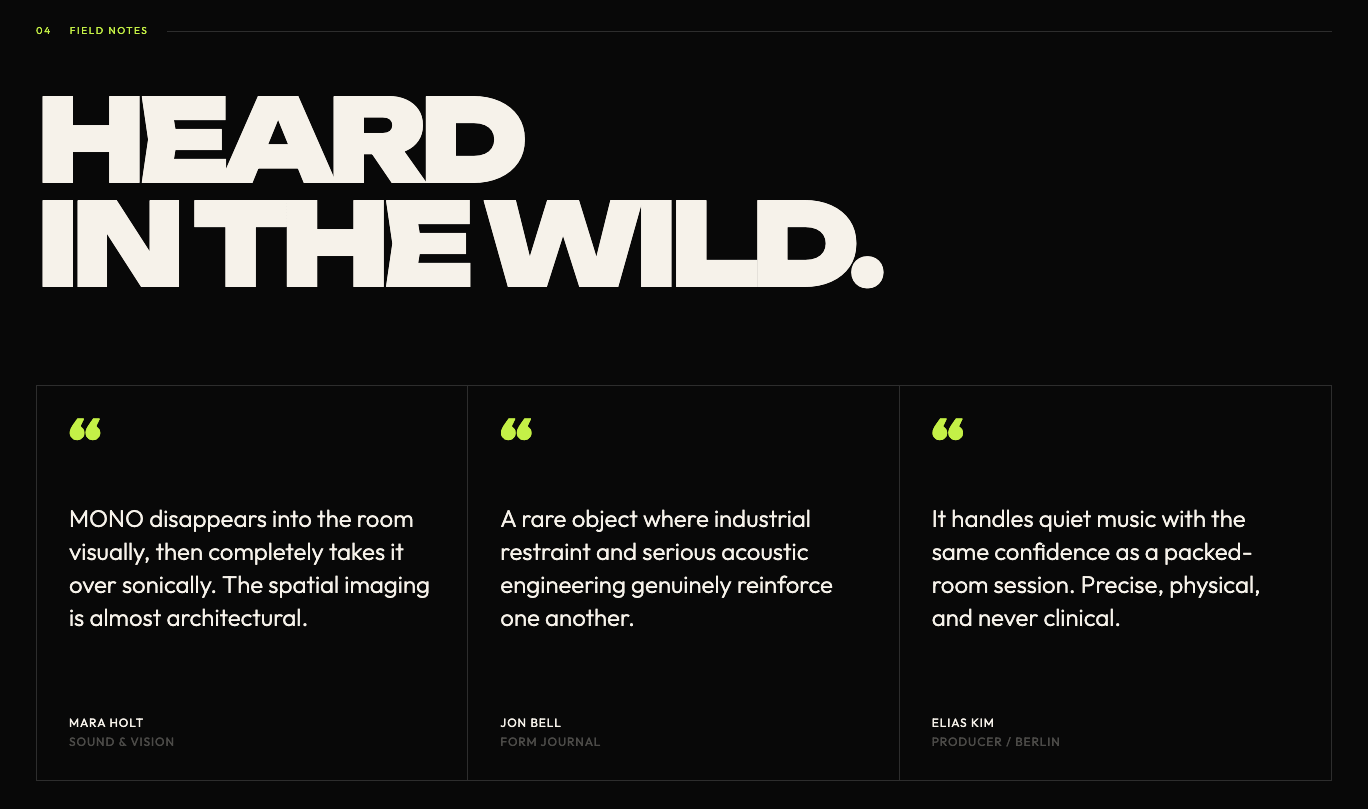
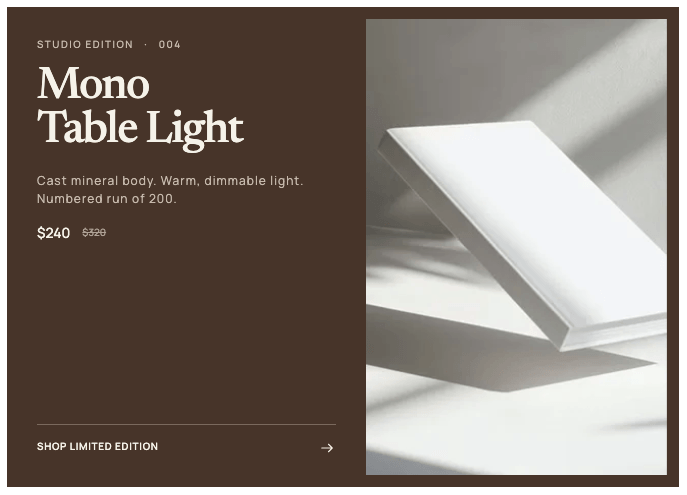
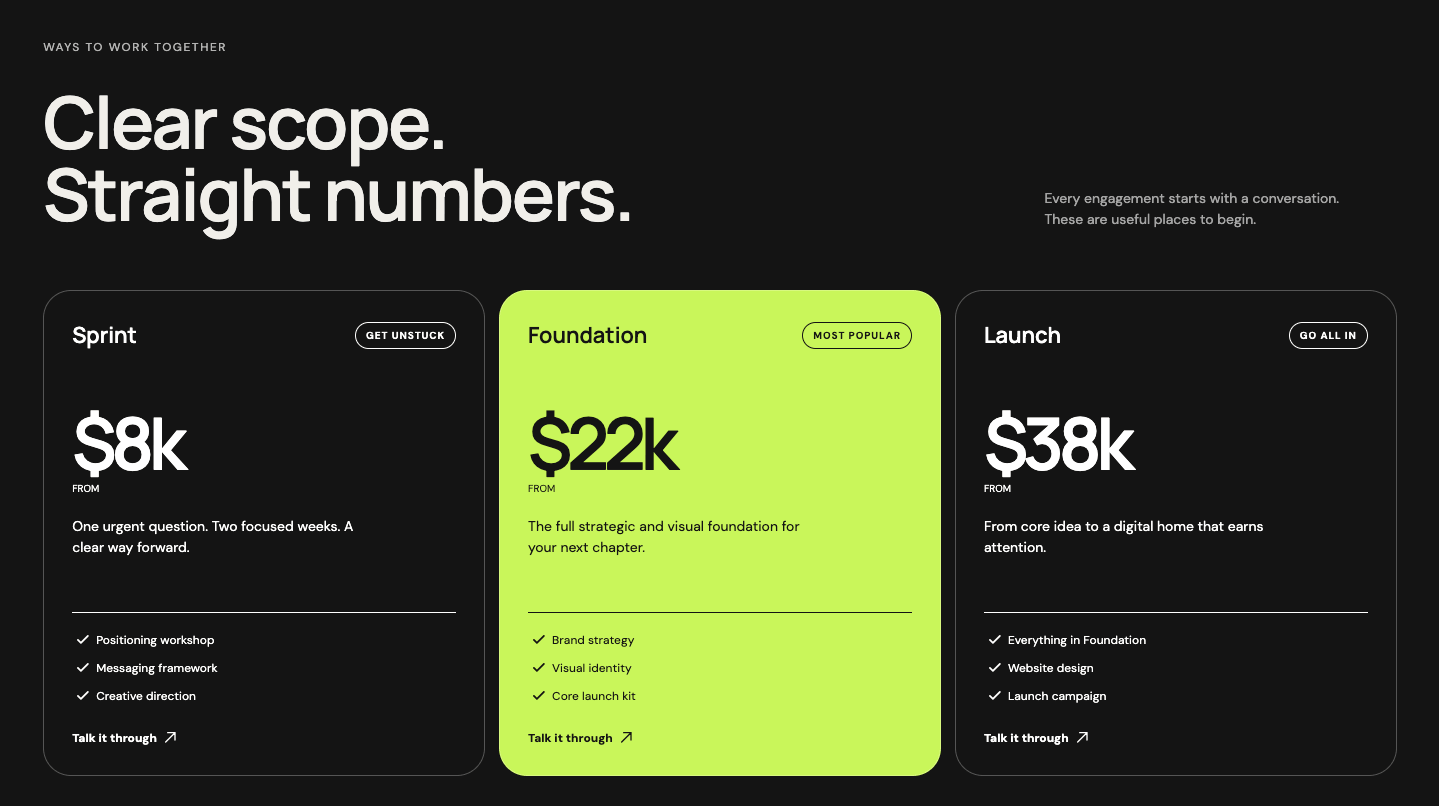
This blog section HTML CSS tutorial shows you how to build a three-column blog card layout with a large serif heading, a staggered middle card, and numbered image badges.
Each card has a category and read time row, a serif blog title, a description, a horizontal rule divider, and a footer row with the publish date and a circular arrow link. The middle card sits lower than the other two on desktop using :nth-child(2) with a top margin, which creates a more dynamic layout than a flat row.
Final output:
Ideas worth
sitting with.
Notes on design, technology, and the small decisions that shape how we live and work.
View all stories
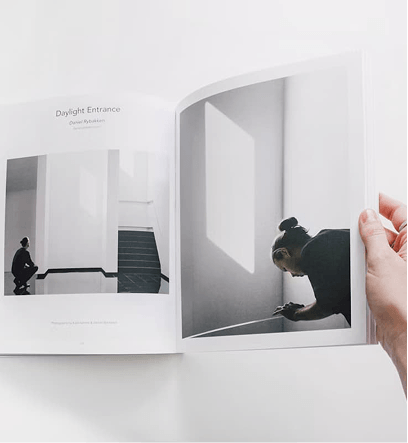

Steps for Blogs Section HTML CSS:
1. Link the DM Sans and Newsreader fonts from Google Fonts in the head.
<link rel="preconnect" href="https://fonts.googleapis.com">
<link rel="preconnect" href="https://fonts.gstatic.com" crossorigin>
<link href="https://fonts.googleapis.com/css2?family=DM+Sans:ital,opsz,wght@0,9..40,100..1000;1,9..40,100..1000&family=Newsreader:ital,opsz,wght@0,6..72,200..800;1,6..72,200..800&display=swap"
    rel="stylesheet">
Let’s start with a section element with the class section-blogs. Inside it, add a .blogs-header div and a .blog-cards-wrapper div.
<section class="section-blogs">
    <div class="blogs-header"></div>
    <div class="blog-cards-wrapper"></div>
</section>
Then reset margins, set DM Sans as the font family, and define Newsreader as a CSS variable on the body. Give the section a warm off-white background with a near-black text color and some padding.
* {
    margin: 0;
    box-sizing: border-box;
}
body {
    font-family: "DM Sans", sans-serif;
    --heading-font: "Newsreader", serif;
}
.section-blogs {
    background-color: hsla(47, 26%, 93%, 1);
    color: hsla(45, 8%, 10%, 1);
    padding: 4.5rem 5%;
}
2. Fill in .blogs-header with the heading on the left and a .blogs-header-right div with the description and a “View all stories” link on the right.
<div class="blogs-header">
    <h2 class="section-title">Ideas worth<br> sitting with.</h2>
    <div class="blogs-header-right">
        <p>Notes on design, technology, and the small decisions that shape how we live and work.</p>
        <a href="#">View all stories
            <svg width="18" height="18" viewBox="0 0 18 18" fill="none" xmlns="http://www.w3.org/2000/svg">
                <path d="M3.60156 8.99844H13.5016M9.90156 12.5984L13.5016 8.99844L9.90156 5.39844" stroke-width="0.9" stroke-linecap="round" stroke-linejoin="round" stroke="#1C1B18" />
            </svg>
        </a>
    </div>
</div>
Use a two-column grid on .blogs-header with the heading taking up more space. Set the align items property to end so the description and link align to the bottom of the heading. On tablet and below, collapse to a single column.
.section-blogs .blogs-header {
    display: grid;
    grid-template-columns: 2.5fr 1fr;
    align-items: end;
    gap: 3rem 2rem;
    margin-bottom: 4.25rem;
}
@media screen and (max-width: 992px) {
    .section-blogs .blogs-header {
        grid-template-columns: 1fr;
    }
}
Style the heading with the Newsreader font in a light weight and use clamp() on the font size so it scales smoothly. Set the line height property to 0.9 and a large negative letter spacing to make the large serif text feel tight and editorial.
.section-blogs .section-title {
    font-family: var(--heading-font);
    font-weight: 400;
    font-size: clamp(4rem, calc(1rem + 7.22vw), 7.5rem);
    line-height: .9;
    letter-spacing: -0.0554em;
}
Style the description with a muted gray color. Style the “View all stories” link with a bottom border and a small uppercase font. Add a translate transition on the arrow SVG so it slides slightly to the right on hover.
.section-blogs .blogs-header-right p {
    font-size: .875rem;
    line-height: 1.5;
    color: hsla(44, 6%, 35%, 1);
}
.section-blogs .blogs-header-right a {
    margin-top: 2rem;
    display: inline-block;
    font-weight: 600;
    font-size: .75rem;
    line-height: 1.5;
    letter-spacing: 0.06em;
    padding-bottom: .5rem;
    border-bottom: 1px solid hsla(45, 8%, 10%, 1);
    color: inherit;
    text-decoration: none;
    text-transform: uppercase;
}
.section-blogs .blogs-header-right a svg {
    vertical-align: middle;
    transition: transform .3s;
}
.section-blogs .blogs-header-right a:hover svg {
    transform: translateX(.25rem);
}
Output:
Ideas worth
sitting with.
Notes on design, technology, and the small decisions that shape how we live and work.
View all stories3. Fill in .blog-cards-wrapper with three .blog-card divs. Each card has an absolute-positioned .blog-number span, a blog image, and a .blog-card-body div with the category, read time, title, description, a .rule div, and a footer row with the publish date and an arrow link.
<div class="blog-cards-wrapper">
    <div class="blog-card">
        <span class="blog-number">01</span>
        <img src="blog-1.png" alt="">
        <div class="blog-card-body">
            <div>
                <p class="blog-category">Perspective</p>
                <p class="read-time">6 min read</p>
            </div>
            <h3 class="blog-title">Why the best digital products leave room to breathe</h3>
            <p class="blog-description">A practical look at restraint, rhythm, and building interfaces people can understand at a glance.</p>
            <div class="rule"></div>
            <div>
                <p class="publish-date">May 24, 2026</p>
                <a href="#" aria-label="read blog post">
                    <svg width="18" height="18" viewBox="0 0 18 18" fill="none" xmlns="http://www.w3.org/2000/svg">
                        <path d="M3.60156 8.99844H13.5016M9.90156 12.5984L13.5016 8.99844L9.90156 5.39844" stroke-width="0.9" stroke-linecap="round" stroke-linejoin="round" stroke="#1C1B18" />
                    </svg>
                </a>
            </div>
        </div>
    </div>
    <!-- add more cards -->
</div>
Use a three-column grid on .blog-cards-wrapper. On tablet, switch to two columns. On mobile, collapse to a single column. Set the position property to relative on each .blog-card so the number badge can be placed on top of the image using absolute positioning. On desktop, add a top margin to the second card using :nth-child(2) so the cards sit at staggered heights, which creates a more dynamic layout than a flat row.
.section-blogs .blog-cards-wrapper {
    display: grid;
    grid-template-columns: repeat(3, 1fr);
    gap: 3rem 2.25rem;
}
@media screen and (max-width: 992px) {
    .section-blogs .blog-cards-wrapper {
        grid-template-columns: 1fr 1fr;
    }
}
@media screen and (max-width: 576px) {
    .section-blogs .blog-cards-wrapper {
        grid-template-columns: 1fr;
    }
}
.section-blogs .blog-card {
    position: relative;
}
@media screen and (min-width: 992px) {
    .section-blogs .blog-card:nth-child(2) {
        margin-top: 4rem;
    }
}
Output:
Ideas worth
sitting with.
Notes on design, technology, and the small decisions that shape how we live and work.
View all stories
4. Style the .blog-number badge. Set the position property to absolute with the left and top properties set to .75rem so it sits in the top left corner of the image. Give it a dark background and a cream text color so it reads clearly over the image.
.section-blogs .blog-number {
    position: absolute;
    left: .75rem;
    top: .75rem;
    font-weight: 600;
    font-size: 0.625rem;
    line-height: 1.5;
    letter-spacing: 0.8px;
    text-transform: uppercase;
    background-color: hsla(48, 7%, 13%, 1);
    color: hsla(45, 33%, 95%, 1);
    padding: .5rem .625rem;
}
.section-blogs .blog-card img {
    width: 100%;
    object-fit: cover;
}
@media screen and (min-width: 578px) and (max-width: 992px) {
    .section-blogs .blog-card img {
        height: 14rem;
    }
}
Output:
Ideas worth
sitting with.
Notes on design, technology, and the small decisions that shape how we live and work.
View all stories
5. Style .blog-card-body. The first div inside holds the category and read time, so use flexbox with the justify content property set to space-between to push them to opposite ends.
Style the blog title with the Newsreader font and a tight letter spacing. Style the description with a muted color. The .rule div acts as a horizontal divider between the description and the footer row.
.section-blogs .blog-card-body > div:first-child {
    margin-block: 1rem .75rem;
    display: flex;
    justify-content: space-between;
    align-items: center;
    color: hsla(43, 6%, 44%, 1);
    font-weight: 600;
    font-size: 0.75rem;
    line-height: 1.5;
    letter-spacing: 1px;
    text-transform: uppercase;
}
.section-blogs .blog-title {
    font-family: var(--heading-font);
    font-weight: 500;
    font-size: 2rem;
    line-height: 1.05;
    letter-spacing: -0.0347em;
}
.section-blogs .blog-description {
    margin-top: .75rem;
    font-size: .875rem;
    line-height: 1.5;
    color: hsla(44, 6%, 39%, 1);
}
.section-blogs .rule {
    background-color: hsla(45, 8%, 10%, 0.22);
    height: 1px;
    margin-block: 1.625rem .75rem;
}
Style the footer row inside each card. Use flexbox with the justify content property set to space-between to push the publish date and arrow link to opposite ends. Style the arrow link as a small circle with a subtle border, and use flexbox with the justify content and align items properties set to center to keep the arrow icon centered inside it.
.section-blogs .blog-card-body > div:last-child {
    display: flex;
    justify-content: space-between;
    align-items: center;
}
.section-blogs .publish-date {
    font-size: .75rem;
    line-height: 1.5;
    color: hsla(43, 6%, 44%, 1);
}
.section-blogs .blog-card-body > div:last-child a {
    padding: .5rem;
    width: 2.125rem;
    height: 2.125rem;
    border-radius: 50%;
    border: 1px solid hsla(45, 8%, 10%, 0.5);
    display: flex;
    justify-content: center;
    align-items: center;
}
Output:
Ideas worth
sitting with.
Notes on design, technology, and the small decisions that shape how we live and work.
View all stories
Final Output Code for Blogs Section HTML CSS:
HTML
<section class="section-blogs">
    <div class="blogs-header">
        <h2 class="section-title">Ideas worth<br>
            sitting with.</h2>
        <div class="blogs-header-right">
            <p>Notes on design, technology, and the small decisions
                that shape how we live and work.</p>
            <a href="#">View all stories
                <svg width="18" height="18" viewBox="0 0 18 18" fill="none" xmlns="http://www.w3.org/2000/svg">
                    <path d="M3.60156 8.99844H13.5016M9.90156 12.5984L13.5016 8.99844L9.90156 5.39844"
                        stroke-width="0.9" stroke-linecap="round" stroke-linejoin="round" stroke="#1C1B18" />
                </svg>
            </a>
        </div>
    </div>
    <div class="blog-cards-wrapper">
        <div class="blog-card">
            <span class="blog-number">01</span>
            <img src="https://codingyaar.com/wp-content/uploads/blog-1.png" alt="">
            <div class="blog-card-body">
                <div>
                    <p class="blog-category">Perspective</p>
                    <p class="read-time">6 min read</p>
                </div>
                <h3 class="blog-title">Why the best digital products
                    leave room to breathe</h3>
                <p class="blog-description">A practical look at restraint, rhythm, and building interfaces
                    people can understand at a glance.</p>
                <div class="rule"></div>
                <div>
                    <p class="publish-date">May 24, 2026</p>
                    <a href="#" aria-label="read blog post">
                        <svg width="18" height="18" viewBox="0 0 18 18" fill="none" xmlns="http://www.w3.org/2000/svg">
                            <path d="M3.60156 8.99844H13.5016M9.90156 12.5984L13.5016 8.99844L9.90156 5.39844"
                                stroke-width="0.9" stroke-linecap="round" stroke-linejoin="round" stroke="#1C1B18" />
                        </svg>
                    </a>
                </div>
            </div>
        </div>
        <div class="blog-card">
            <span class="blog-number">02</span>
            <img src="https://codingyaar.com/wp-content/uploads/blog-2.png" alt="">
            <div class="blog-card-body">
                <div>
                    <p class="blog-category">Field Notes</p>
                    <p class="read-time">4 min read</p>
                </div>
                <h3 class="blog-title">Designing for the pause, not just the click</h3>
                <p class="blog-description">What quiet spaces, considered details, and slower interactions can teach
                    us about attention.</p>
                <div class="rule"></div>
                <div>
                    <p class="publish-date">May 16, 2026</p>
                    <a href="#" aria-label="read blog post">
                        <svg width="18" height="18" viewBox="0 0 18 18" fill="none" xmlns="http://www.w3.org/2000/svg">
                            <path d="M3.60156 8.99844H13.5016M9.90156 12.5984L13.5016 8.99844L9.90156 5.39844"
                                stroke-width="0.9" stroke-linecap="round" stroke-linejoin="round" stroke="#1C1B18" />
                        </svg>
                    </a>
                </div>
            </div>
        </div>
        <div class="blog-card">
            <span class="blog-number">03</span>
            <img src="https://codingyaar.com/wp-content/uploads/blog-3.png" alt="">
            <div class="blog-card-body">
                <div>
                    <p class="blog-category">Studio</p>
                    <p class="read-time">8 min read</p>
                </div>
                <h3 class="blog-title">A creative practice built for
                    constant change</h3>
                <p class="blog-description">Inside the habits and systems that help small teams do ambitious work
                    without losing their point of view.</p>
                <div class="rule"></div>
                <div>
                    <p class="publish-date">May 08, 2026</p>
                    <a href="#" aria-label="read blog post">
                        <svg width="18" height="18" viewBox="0 0 18 18" fill="none" xmlns="http://www.w3.org/2000/svg">
                            <path d="M3.60156 8.99844H13.5016M9.90156 12.5984L13.5016 8.99844L9.90156 5.39844"
                                stroke-width="0.9" stroke-linecap="round" stroke-linejoin="round" stroke="#1C1B18" />
                        </svg>
                    </a>
                </div>
            </div>
        </div>
    </div>
</section>
CSS
* {
    margin: 0;
    box-sizing: border-box;
}
body {
    font-family: "DM Sans", sans-serif;
    --heading-font: "Newsreader", serif;
}
.section-blogs {
    background-color: hsla(47, 26%, 93%, 1);
    color: hsla(45, 8%, 10%, 1);
    padding: 4.5rem 5%;
}
.section-blogs .blogs-header {
    display: grid;
    grid-template-columns: 2.5fr 1fr;
    align-items: end;
    gap: 3rem 2rem;
    margin-bottom: 4.25rem;
}
@media screen and (max-width: 992px) {
    .section-blogs .blogs-header {
        grid-template-columns: 1fr;
    }
}
.section-blogs .section-title {
    font-family: var(--heading-font);
    font-weight: 400;
    font-size: clamp(4rem, calc(1rem + 7.22vw), 7.5rem);
    line-height: .9;
    letter-spacing: -0.0554em;
}
.section-blogs .blogs-header-right p {
    font-size: .875rem;
    line-height: 1.5;
    color: hsla(44, 6%, 35%, 1);
}
.section-blogs .blogs-header-right a {
    margin-top: 2rem;
    display: inline-block;
    font-weight: 600;
    font-size: .75rem;
    line-height: 1.5;
    letter-spacing: 0.06em;
    padding-bottom: .5rem;
    border-bottom: 1px solid hsla(45, 8%, 10%, 1);
    color: inherit;
    text-decoration: none;
    text-transform: uppercase;
}
.section-blogs .blogs-header-right a svg {
    vertical-align: middle;
    transition: transform .3s;
}
.section-blogs .blogs-header-right a:hover svg {
    transform: translateX(.25rem);
}
.section-blogs .blog-cards-wrapper {
    display: grid;
    grid-template-columns: repeat(3, 1fr);
    gap: 3rem 2.25rem;
}
@media screen and (max-width: 992px) {
    .section-blogs .blog-cards-wrapper {
        grid-template-columns: 1fr 1fr;
    }
}
@media screen and (max-width: 576px) {
    .section-blogs .blog-cards-wrapper {
        grid-template-columns: 1fr;
    }
}
.section-blogs .blog-card {
    position: relative;
}
@media screen and (min-width: 992px) {
    .section-blogs .blog-card:nth-child(2) {
        margin-top: 4rem;
    }
}
.section-blogs .blog-number {
    position: absolute;
    left: .75rem;
    top: .75rem;
    font-weight: 600;
    font-size: 0.625rem;
    line-height: 1.5;
    letter-spacing: 0.8px;
    text-transform: uppercase;
    background-color: hsla(48, 7%, 13%, 1);
    color: hsla(45, 33%, 95%, 1);
    padding: .5rem .625rem;
}
.section-blogs .blog-card img {
    width: 100%;
    object-fit: cover;
}
@media screen and (min-width: 578px) and (max-width: 992px) {
    .section-blogs .blog-card img {
        height: 14rem;
    }
}
.section-blogs .blog-card-body > div:first-child {
    margin-block: 1rem .75rem;
    display: flex;
    justify-content: space-between;
    align-items: center;
    color: hsla(43, 6%, 44%, 1);
    font-weight: 600;
    font-size: 0.75rem;
    line-height: 1.5;
    letter-spacing: 1px;
    text-transform: uppercase;
}
.section-blogs .blog-title {
    font-family: var(--heading-font);
    font-weight: 500;
    font-size: 2rem;
    line-height: 1.05;
    letter-spacing: -0.0347em;
}
.section-blogs .blog-description {
    margin-top: .75rem;
    font-size: .875rem;
    line-height: 1.5;
    color: hsla(44, 6%, 39%, 1);
}
.section-blogs .rule {
    background-color: hsla(45, 8%, 10%, 0.22);
    height: 1px;
    margin-block: 1.625rem .75rem;
}
.section-blogs .blog-card-body > div:last-child {
    display: flex;
    justify-content: space-between;
    align-items: center;
}
.section-blogs .publish-date {
    font-size: .75rem;
    line-height: 1.5;
    color: hsla(43, 6%, 44%, 1);
}
.section-blogs .blog-card-body > div:last-child a {
    padding: .5rem;
    width: 2.125rem;
    height: 2.125rem;
    border-radius: 50%;
    border: 1px solid hsla(45, 8%, 10%, 0.5);
    display: flex;
    justify-content: center;
    align-items: center;
}
If you have any doubts or stuck somewhere, you can reach out through Coding Yaar's Discord server.