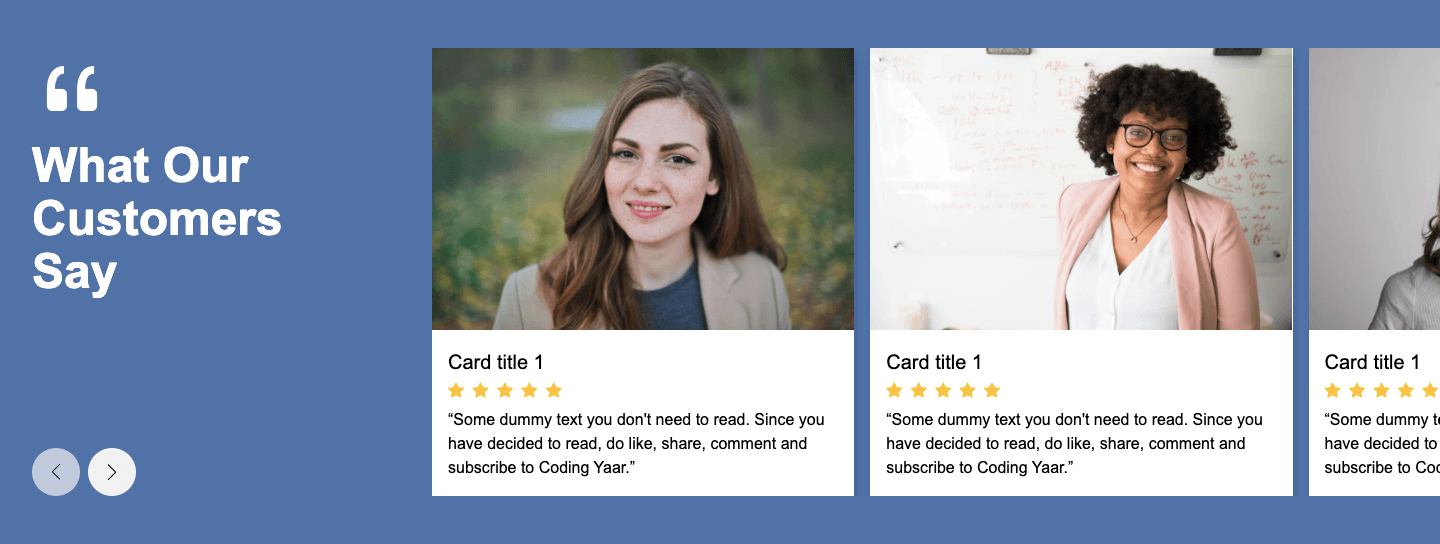
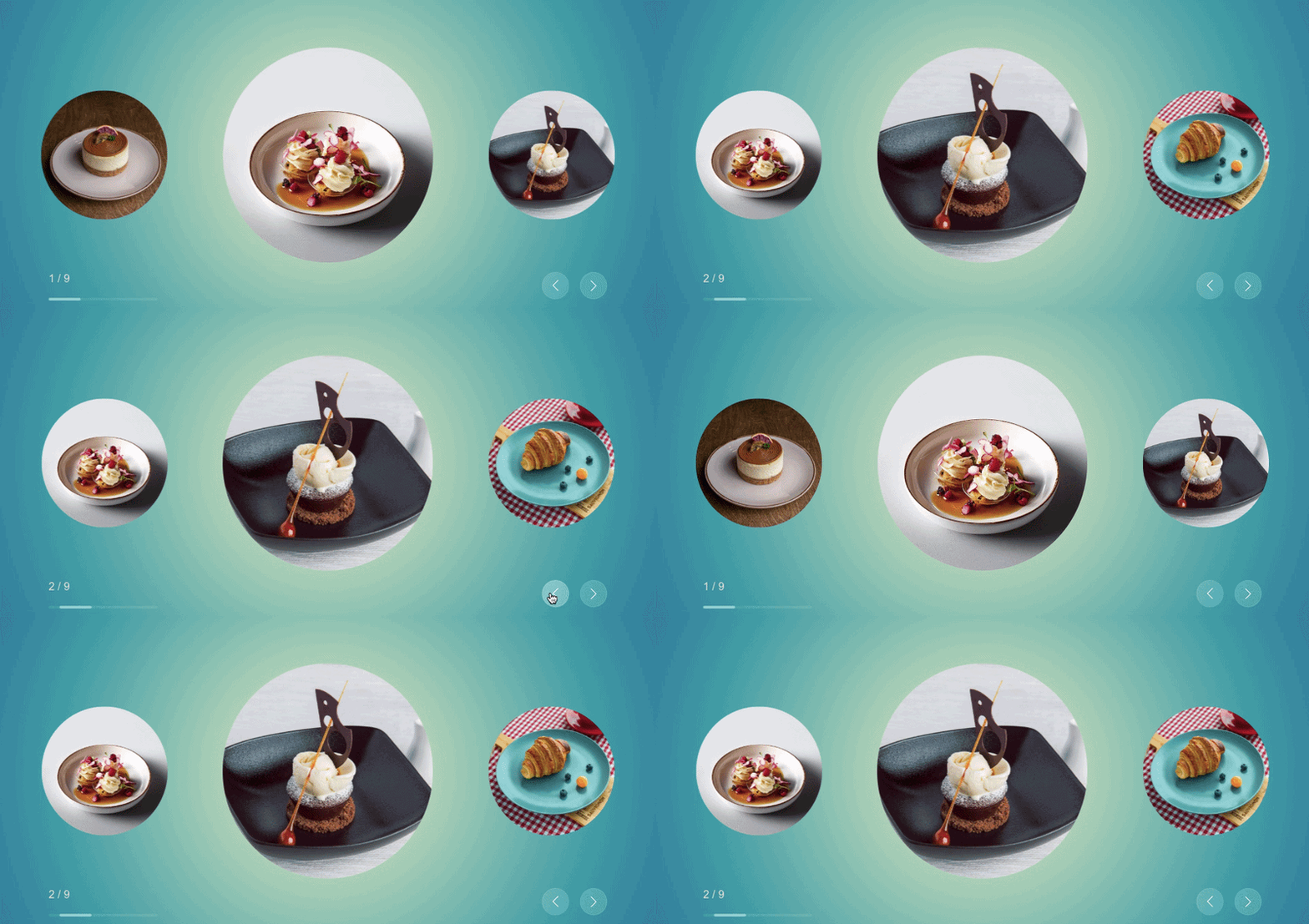
Responsive testimonial slider built with Swiper.js, featuring clean card layouts, smooth navigation controls, and optimized performance for seamless user experience across all devices.
Final output:

“Outstanding platform with exceptional support. The ROI was evident from day one. Highly recommend to any serious business.”

Jacob Park
Product ManagerInnovation Labs
“Outstanding platform with exceptional support. The ROI was evident from day one. Highly recommend to any serious business.”
Jacob Park
Product ManagerInnovation Labs
“Outstanding platform with exceptional support. The ROI was evident from day one. Highly recommend to any serious business.”
Jacob Park
Product ManagerInnovation Labs
“Outstanding platform with exceptional support. The ROI was evident from day one. Highly recommend to any serious business.”
Jacob Park
Product ManagerInnovation Labs
“Outstanding platform with exceptional support. The ROI was evident from day one. Highly recommend to any serious business.”
Jacob Park
Product ManagerInnovation Labs
“Outstanding platform with exceptional support. The ROI was evident from day one. Highly recommend to any serious business.”
Jacob Park
Product ManagerInnovation Labs
“Outstanding platform with exceptional support. The ROI was evident from day one. Highly recommend to any serious business.”
Jacob Park
Product ManagerInnovation Labs
“Outstanding platform with exceptional support. The ROI was evident from day one. Highly recommend to any serious business.”
Jacob Park
Product ManagerInnovation Labs
“Outstanding platform with exceptional support. The ROI was evident from day one. Highly recommend to any serious business.”
Jacob Park
Product ManagerInnovation Labs
1. Let’s start by adding a link to the Swiper CSS and JS in your HTML. SwiperJS is a free library that handles the slider functionality for us.
Add the CSS link in the <head>
<link rel="stylesheet" href="https://cdn.jsdelivr.net/npm/swiper@11/swiper-bundle.min.css" />Add the JS link right before the </body>
<script src="https://cdn.jsdelivr.net/npm/swiper@11/swiper-bundle.min.js"></script>2. Swiper needs a specific HTML structure to work. Start with a wrapper div that has both the swiper class and a custom testimonial-swiper class. Inside it, add a swiper-wrapper div. Each slide goes inside a swiper-slide div. Add the prev and next navigation buttons after the swiper-wrapper.
<div class="swiper testimonial-swiper">
    <div class="swiper-wrapper">
        <div class="swiper-slide">
            <!-- testimonial card -->
        </div>
        <div class="swiper-slide">
            <!-- testimonial card -->
        </div>
        <!-- repeat for more slides -->
    </div>
    <div class="swiper-button-prev"></div>
    <div class="swiper-button-next"></div>
</div>
Inside each swiper-slide, add the testimonial card created in the previous post with the quotes icon, testimonial text, and client details.
<div class="testimonial-card">
    <div class="testimonial-card-header">
        <div class="testimonial-card-quotes-icon">
            <img src="quotes.png">
        </div>
    </div>
    <p class="testimonial-card-text">"Outstanding platform with exceptional support. The ROI was evident from day one. Highly recommend to any serious business."</p>
    <div class="testimonial-card-footer">
        <img src="client.jpg" alt="">
        <div>
            <h5 class="client-name">Jacob Park</h5>
            <span class="client-designation">Product Manager</span>
            <br>
            <span class="client-org">Innovation Labs</span>
        </div>
    </div>
</div>
Output:
“Outstanding platform with exceptional support. The ROI was evident from day one. Highly recommend to any serious business.”
Jacob Park
Product ManagerInnovation Labs
“Outstanding platform with exceptional support. The ROI was evident from day one. Highly recommend to any serious business.”
Jacob Park
Product ManagerInnovation Labs
“Outstanding platform with exceptional support. The ROI was evident from day one. Highly recommend to any serious business.”
Jacob Park
Product ManagerInnovation Labs
“Outstanding platform with exceptional support. The ROI was evident from day one. Highly recommend to any serious business.”
Jacob Park
Product ManagerInnovation Labs
“Outstanding platform with exceptional support. The ROI was evident from day one. Highly recommend to any serious business.”
Jacob Park
Product ManagerInnovation Labs
“Outstanding platform with exceptional support. The ROI was evident from day one. Highly recommend to any serious business.”
Jacob Park
Product ManagerInnovation Labs
“Outstanding platform with exceptional support. The ROI was evident from day one. Highly recommend to any serious business.”
Jacob Park
Product ManagerInnovation Labs
“Outstanding platform with exceptional support. The ROI was evident from day one. Highly recommend to any serious business.”
Jacob Park
Product ManagerInnovation Labs
“Outstanding platform with exceptional support. The ROI was evident from day one. Highly recommend to any serious business.”
Jacob Park
Product ManagerInnovation Labs
3. Initialize Swiper with JavaScript. Pass in .testimonial-swiper as the target. Set slidesPerView and spaceBetween to control how many cards show at once and the gap between them. Use breakpoints to make it responsive, showing 1 slide on mobile and 3 on larger screens. Pass in the navigation option with the prev and next button selectors to wire up the arrows.
Note: Check Swiper docs for more info
var swiper = new Swiper(".testimonial-swiper", {
    slidesPerView: 3,
    spaceBetween: 16,
    breakpoints: {
        0: {
            slidesPerView: 1,
        },
        576: {
            slidesPerView: 3,
        },
        769: {
            slidesPerView: 3,
        },
    },
    navigation: {
        nextEl: ".swiper-button-next",
        prevEl: ".swiper-button-prev",
    },
});
Output:
“Outstanding platform with exceptional support. The ROI was evident from day one. Highly recommend to any serious business.”
Jacob Park
Product ManagerInnovation Labs
“Outstanding platform with exceptional support. The ROI was evident from day one. Highly recommend to any serious business.”
Jacob Park
Product ManagerInnovation Labs
“Outstanding platform with exceptional support. The ROI was evident from day one. Highly recommend to any serious business.”
Jacob Park
Product ManagerInnovation Labs
“Outstanding platform with exceptional support. The ROI was evident from day one. Highly recommend to any serious business.”
Jacob Park
Product ManagerInnovation Labs
“Outstanding platform with exceptional support. The ROI was evident from day one. Highly recommend to any serious business.”
Jacob Park
Product ManagerInnovation Labs
“Outstanding platform with exceptional support. The ROI was evident from day one. Highly recommend to any serious business.”
Jacob Park
Product ManagerInnovation Labs
“Outstanding platform with exceptional support. The ROI was evident from day one. Highly recommend to any serious business.”
Jacob Park
Product ManagerInnovation Labs
“Outstanding platform with exceptional support. The ROI was evident from day one. Highly recommend to any serious business.”
Jacob Park
Product ManagerInnovation Labs
“Outstanding platform with exceptional support. The ROI was evident from day one. Highly recommend to any serious business.”
Jacob Park
Product ManagerInnovation Labs
4. Set the swiper width and style the navigation buttons. Give them a circular shape with a light blue background.
.swiper {
    width: 80%;
    height: 100%;
}

.swiper-button-prev,
.swiper-button-next {
    width: 2.5rem;
    height: 2.5rem;
    background: #caddfc72;
    border-radius: 50%;

}

.swiper-navigation-icon {
    color: #2b7fff;
    width: 1rem;
    height: 1rem;
}
Output:
“Outstanding platform with exceptional support. The ROI was evident from day one. Highly recommend to any serious business.”
Jacob Park
Product ManagerInnovation Labs
“Outstanding platform with exceptional support. The ROI was evident from day one. Highly recommend to any serious business.”
Jacob Park
Product ManagerInnovation Labs
“Outstanding platform with exceptional support. The ROI was evident from day one. Highly recommend to any serious business.”
Jacob Park
Product ManagerInnovation Labs
“Outstanding platform with exceptional support. The ROI was evident from day one. Highly recommend to any serious business.”
Jacob Park
Product ManagerInnovation Labs
“Outstanding platform with exceptional support. The ROI was evident from day one. Highly recommend to any serious business.”
Jacob Park
Product ManagerInnovation Labs
“Outstanding platform with exceptional support. The ROI was evident from day one. Highly recommend to any serious business.”
Jacob Park
Product ManagerInnovation Labs
“Outstanding platform with exceptional support. The ROI was evident from day one. Highly recommend to any serious business.”
Jacob Park
Product ManagerInnovation Labs
“Outstanding platform with exceptional support. The ROI was evident from day one. Highly recommend to any serious business.”
Jacob Park
Product ManagerInnovation Labs
“Outstanding platform with exceptional support. The ROI was evident from day one. Highly recommend to any serious business.”
Jacob Park
Product ManagerInnovation Labs
Final Output Code for Testimonial Slider using Swiper JS:
HTML
<div class="swiper testimonial-swiper">
    <div class="swiper-wrapper">
        <div class="swiper-slide">
            <div class="testimonial-card">
                <div class="testimonial-card-header">

                    <div class="testimonial-card-quotes-icon">
                        <img src="quotes.png">
                    </div>
                </div>
                <p class="testimonial-card-text">"Outstanding platform with exceptional support. The ROI was evident
                    from day
                    one. Highly recommend to any
                    serious business."</p>
                <div class="testimonial-card-footer">
                    <img src="client.png" alt="">
                    <div>
                        <h5 class="client-name">Jacob Park</h5>
                        <span class="client-designation">Product Manager</span>
                        <br>
                        <span class="client-org">Innovation Labs</span>
                    </div>
                </div>
            </div>
        </div>
        <div class="swiper-slide">
            <div class="testimonial-card">
                <div class="testimonial-card-header">

                    <div class="testimonial-card-quotes-icon">
                        <img src="quotes.png">
                    </div>
                </div>
                <p class="testimonial-card-text">"Outstanding platform with exceptional support. The ROI was evident
                    from day
                    one. Highly recommend to any
                    serious business."</p>
                <div class="testimonial-card-footer">
                    <img src="client.png" alt="">
                    <div>
                        <h5 class="client-name">Jacob Park</h5>
                        <span class="client-designation">Product Manager</span>
                        <br>
                        <span class="client-org">Innovation Labs</span>
                    </div>
                </div>
            </div>
        </div>
        <div class="swiper-slide">
            <div class="testimonial-card">
                <div class="testimonial-card-header">

                    <div class="testimonial-card-quotes-icon">
                        <img src="quotes.png">
                    </div>
                </div>
                <p class="testimonial-card-text">"Outstanding platform with exceptional support. The ROI was evident
                    from day
                    one. Highly recommend to any
                    serious business."</p>
                <div class="testimonial-card-footer">
                    <img src="client.png" alt="">
                    <div>
                        <h5 class="client-name">Jacob Park</h5>
                        <span class="client-designation">Product Manager</span>
                        <br>
                        <span class="client-org">Innovation Labs</span>
                    </div>
                </div>
            </div>
        </div>
        <div class="swiper-slide">
            <div class="testimonial-card">
                <div class="testimonial-card-header">

                    <div class="testimonial-card-quotes-icon">
                        <img src="quotes.png">
                    </div>
                </div>
                <p class="testimonial-card-text">"Outstanding platform with exceptional support. The ROI was evident
                    from day
                    one. Highly recommend to any
                    serious business."</p>
                <div class="testimonial-card-footer">
                    <img src="client.png" alt="">
                    <div>
                        <h5 class="client-name">Jacob Park</h5>
                        <span class="client-designation">Product Manager</span>
                        <br>
                        <span class="client-org">Innovation Labs</span>
                    </div>
                </div>
            </div>
        </div>
        <div class="swiper-slide">
            <div class="testimonial-card">
                <div class="testimonial-card-header">

                    <div class="testimonial-card-quotes-icon">
                        <img src="quotes.png">
                    </div>
                </div>
                <p class="testimonial-card-text">"Outstanding platform with exceptional support. The ROI was evident
                    from day
                    one. Highly recommend to any
                    serious business."</p>
                <div class="testimonial-card-footer">
                    <img src="client.png" alt="">
                    <div>
                        <h5 class="client-name">Jacob Park</h5>
                        <span class="client-designation">Product Manager</span>
                        <br>
                        <span class="client-org">Innovation Labs</span>
                    </div>
                </div>
            </div>
        </div>
        <div class="swiper-slide">
            <div class="testimonial-card">
                <div class="testimonial-card-header">

                    <div class="testimonial-card-quotes-icon">
                        <img src="quotes.png">
                    </div>
                </div>
                <p class="testimonial-card-text">"Outstanding platform with exceptional support. The ROI was evident
                    from day
                    one. Highly recommend to any
                    serious business."</p>
                <div class="testimonial-card-footer">
                    <img src="client.png" alt="">
                    <div>
                        <h5 class="client-name">Jacob Park</h5>
                        <span class="client-designation">Product Manager</span>
                        <br>
                        <span class="client-org">Innovation Labs</span>
                    </div>
                </div>
            </div>
        </div>
        <div class="swiper-slide">
            <div class="testimonial-card">
                <div class="testimonial-card-header">

                    <div class="testimonial-card-quotes-icon">
                        <img src="quotes.png">
                    </div>
                </div>
                <p class="testimonial-card-text">"Outstanding platform with exceptional support. The ROI was evident
                    from day
                    one. Highly recommend to any
                    serious business."</p>
                <div class="testimonial-card-footer">
                    <img src="client.png" alt="">
                    <div>
                        <h5 class="client-name">Jacob Park</h5>
                        <span class="client-designation">Product Manager</span>
                        <br>
                        <span class="client-org">Innovation Labs</span>
                    </div>
                </div>
            </div>
        </div>
        <div class="swiper-slide">
            <div class="testimonial-card">
                <div class="testimonial-card-header">

                    <div class="testimonial-card-quotes-icon">
                        <img src="quotes.png">
                    </div>
                </div>
                <p class="testimonial-card-text">"Outstanding platform with exceptional support. The ROI was evident
                    from day
                    one. Highly recommend to any
                    serious business."</p>
                <div class="testimonial-card-footer">
                    <img src="client.png" alt="">
                    <div>
                        <h5 class="client-name">Jacob Park</h5>
                        <span class="client-designation">Product Manager</span>
                        <br>
                        <span class="client-org">Innovation Labs</span>
                    </div>
                </div>
            </div>
        </div>
        <div class="swiper-slide">
            <div class="testimonial-card">
                <div class="testimonial-card-header">

                    <div class="testimonial-card-quotes-icon">
                        <img src="quotes.png">
                    </div>
                </div>
                <p class="testimonial-card-text">"Outstanding platform with exceptional support. The ROI was evident
                    from day
                    one. Highly recommend to any
                    serious business."</p>
                <div class="testimonial-card-footer">
                    <img src="client.png" alt="">
                    <div>
                        <h5 class="client-name">Jacob Park</h5>
                        <span class="client-designation">Product Manager</span>
                        <br>
                        <span class="client-org">Innovation Labs</span>
                    </div>
                </div>
            </div>
        </div>
    </div>
    <div class="swiper-button-prev"></div>
    <div class="swiper-button-next"></div>

</div>
CSS
 * {
     margin: 0;
 }

 body {
     font-family: Arial, Helvetica, sans-serif;
 }

 .testimonial-card {
     /* max-width: 16rem; */
     border: 2px solid #e2e8f0;
     border-radius: 1rem;
     padding: 2rem;
     box-shadow: 0 1px 3px 0 rgb(0 0 0 / 0.1), 0 1px 2px -1px rgb(0 0 0 / 0.1);
     transition: border-color .2s ease-in-out;
 }

 .testimonial-card:hover {
     border-color: #2b7fff;
 }

 .testimonial-card-header {
     position: relative;
 }

 .testimonial-card-quotes-icon {
     width: 3rem;
     position: absolute;
     right: -1rem;
     top: -1rem;
 }

 .testimonial-card-text {
     margin: 1.5rem 0;
     font-size: 1.125rem;
     font-style: italic;
     line-height: 1.625;
     color: #314158;
 }

 .testimonial-card-footer {
     border-top: 1px solid #f9f3f4;
     display: grid;
     grid-template-columns: 1fr 3fr;
     gap: 1rem;
     align-items: center;
     padding-top: 1.5rem;
 }

 .testimonial-card-footer img {
     max-width: 100%;
     border-radius: 50%;
 }

 .client-name {
     font-size: 1rem;
     font-weight: 600;
     margin-bottom: .25rem;
 }

 .client-designation {
     font-size: .875rem;
     line-height: 1.4;
     color: #62748e;
 }

 .client-org {
     font-size: .75rem;
     line-height: 1.3;
     color: #90a1b9;
 }

 .testimonial-swiper.swiper {
     width: 80%;
     height: 100%;
 }

.swiper-button-prev, .swiper-button-next {
    width: 2.5rem;
    height: 2.5rem;
    background: #caddfc72;
    border-radius: 50%;

}

.swiper-navigation-icon {
    color: #2b7fff;
    width: 1rem;
    height: 1rem;
}
JS:
var swiper = new Swiper(".testimonial-swiper", {
    slidesPerView: 3,
    spaceBetween: 16,
    breakpoints: {
        0: {
            slidesPerView: 1,
        },
        576: {
            slidesPerView: 3,
        },
        769: {
            slidesPerView: 3,
        },
    },
    navigation: {
        nextEl: ".swiper-button-next",
        prevEl: ".swiper-button-prev",
    },
});
If you have any doubts or stuck somewhere, you can reach out through Coding Yaar's Discord server.