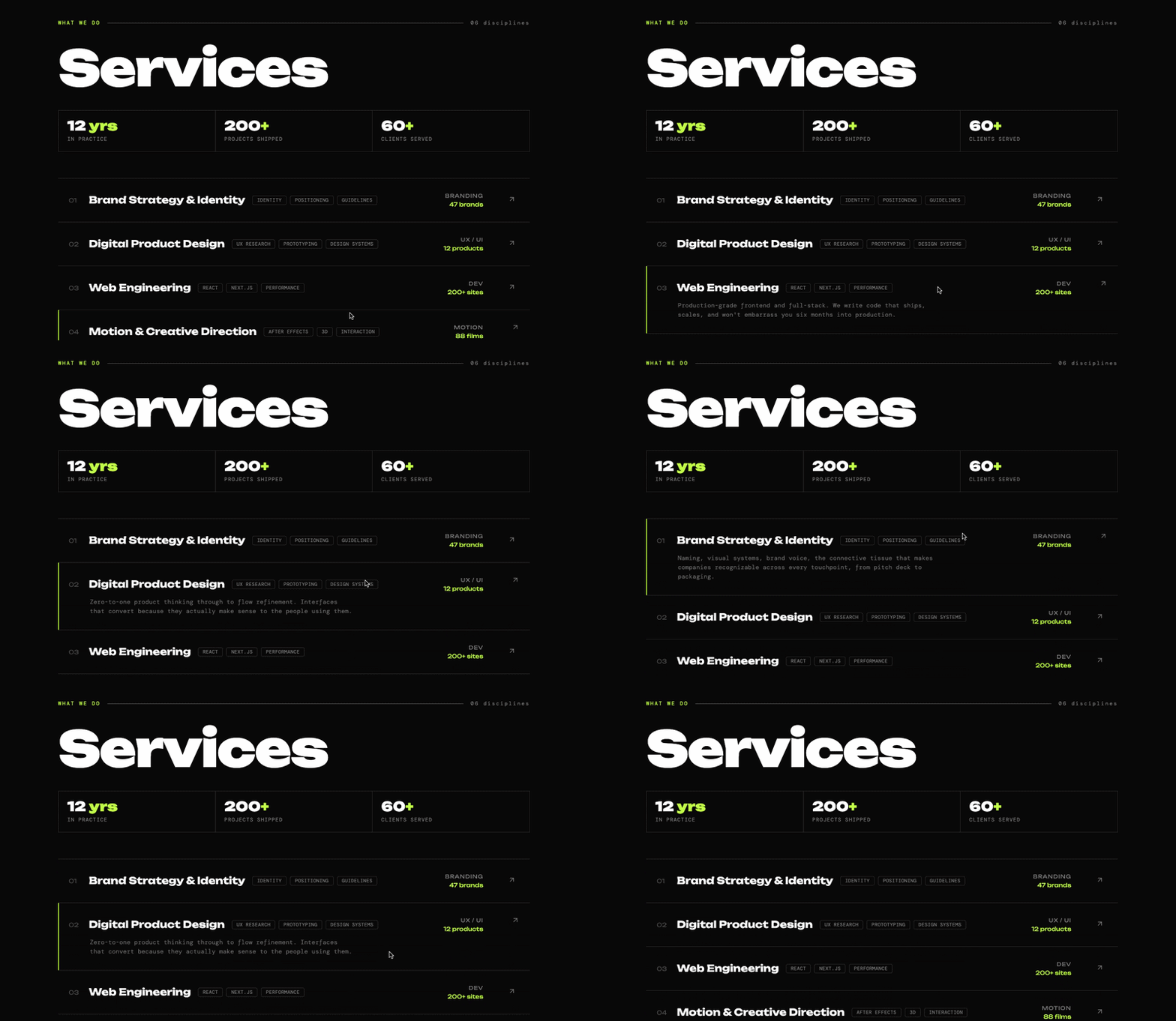
This services section HTML CSS JavaScript tutorial shows you how to build a filterable services list with tab buttons and a live service count. Clicking a tab shows only the matching services, and the count updates with the correct singular or plural text. The CSS uses nesting, so each rule sits inside its parent, and the arrow on each link slides to the right on hover.
Final output:
Our services
Explore how we can help. From initial advice to ongoing support, find the service that fits your needs.
- All Services
- Planning
- Delivery
- Ongoing
6 services
Consultation
Expert guidance to understand your needs and explore the right options.
Strategy & planning
A practical plan that connects your goals with clear, actionable steps.
Implementation
End-to-end delivery, with attention to every detail along the way.
Management
Day-to-day coordination to keep your work organised and on track.
Support & maintenance
Reliable assistance to resolve issues and keep things running smoothly.
Training & guidance
Build the knowledge and confidence to get more from what you do.
Steps for Services Section Design:
1. Set Up the Services Section and Base Styles
Link the Inter font from Google Font in the head.
<link rel="preconnect" href="https://fonts.googleapis.com">
<link rel="preconnect" href="https://fonts.gstatic.com" crossorigin>
<link href="https://fonts.googleapis.com/css2?family=Inter:ital,opsz,wght@0,14..32,100..900;1,14..32,100..900&display=swap" rel="stylesheet">
Let’s start with a section element with the class our-services. Inside it, I am adding a .section-container div with a .services-header and a .services-wrapper.
<section class="our-services">
    <div class="section-container">
        <div class="services-header"></div>
        <div class="services-wrapper"></div>
    </div>
</section>
Then reset the margins, set Inter as the font family, and define the two teal colors as CSS variables on :root. Give the section a thick teal top border, and center the container with the margin inline property set to auto and a max width. This time I am using nested CSS, so every rule lives inside its parent.
* {
    margin: 0;
    box-sizing: border-box;
}
body {
    font-family: "Inter", sans-serif;
}
:root {
    --primary: hsla(173, 68%, 29%, 1);
    --secondary: hsla(168, 20%, 95%, 1);
}
.our-services {
    padding: 6rem 5%;
    color: hsla(174, 11%, 38%, 1);
    border-top: 6px solid var(--primary);

    .section-container {
        max-width: 67rem;
        margin-inline: auto;
    }
}
2. Add the Header
Next, fill in .services-header with a heading and a short description.
<div class="services-header">
    <h2>Our services</h2>
    <p>Explore how we can help. From initial advice to ongoing support, find the service that fits your needs.</p>
</div>
Style the heading with a semi-bold weight and a negative letter spacing. Then set a max width on the description, so the line stays short and easy to read. Add this inside .section-container.
.services-header {
    h2 {
        font-weight: 600;
        font-size: 2.75rem;
        line-height: 1.25;
        letter-spacing: -1.76px;
        color: hsla(171, 48%, 16%, 1);
        margin-bottom: 1rem;
    }

    p {
        font-size: 1rem;
        line-height: 1.75;
        max-width: 32rem;
    }
}
Output:
Our services
Explore how we can help. From initial advice to ongoing support, find the service that fits your needs.
3. Build the Filter Tabs
Now add a .services-filters-wrapper inside .services-wrapper. It holds a list of filter tabs, and a paragraph that shows how many services are visible. Each tab has a data-service attribute, because the JavaScript reads it later.
<div class="services-wrapper">
    <div class="services-filters-wrapper">
        <ul class="services-filters">
            <li data-service="all" class="active">All Services</li>
            <li data-service="planning">Planning</li>
            <li data-service="delivery">Delivery</li>
            <li data-service="ongoing">Ongoing</li>
        </ul>
        <p id="services-count" class="services-count">6 services</p>
    </div>
</div>
Use flexbox with the justify content property set to space-between, so the tabs and the count sit at opposite ends. Since the row can get tight, add flex-wrap: wrap. Then give the list a light background and a small padding, so the active tab looks like a pill inside a tray. As a result, the active tab gets the primary color, and the other tabs get a soft hover color.
.services-wrapper {
    margin-top: 2.5rem;

    .services-filters-wrapper {
        display: flex;
        justify-content: space-between;
        align-items: center;
        flex-wrap: wrap;
        gap: 1rem;
        margin-bottom: 1.5rem;

        .services-filters {
            background-color: var(--secondary);
            padding: .25rem;
            display: flex;
            flex-wrap: wrap;
            align-items: center;
            gap: .25rem;
            list-style: none;
            border-radius: .5rem;

            li {
                border-radius: 0.375rem;
                padding: .625rem 1rem;
                font-weight: 500;
                font-size: .875rem;
                line-height: 1.42;
                color: hsla(166, 15%, 37%, 1);
                transition: .15s background-color;
                cursor: pointer;

                &:hover {
                    background-color: hsla(162, 28%, 91%, 1);
                }

                &.active {
                    background-color: var(--primary);
                    color: hsla(0, 0%, 100%, 1);
                }
            }
        }

        .services-count {
            font-size: .875rem;
            line-height: 1.42;
        }
    }
}
Output:
Our services
Explore how we can help. From initial advice to ongoing support, find the service that fits your needs.
- All Services
- Planning
- Delivery
- Ongoing
6 services
4. Add the Service Blocks
After that, add a .service-blocks-wrapper below the filters. Each .service-block has an .icon-wrapper with an SVG, and a .service-block-body with the details and a link. Give each block a data-service attribute that matches one of the filters.
<div class="service-blocks-wrapper">
    <div class="service-block" data-service="planning">
        <div class="icon-wrapper">
            <svg width="24" height="24" viewBox="0 0 24 24" fill="none" xmlns="http://www.w3.org/2000/svg">
                <path
                    d="M8 10H16M8 14H13M5 4H19C19.5304 4 20.0391 4.21071 20.4142 4.58579C20.7893 4.96086 21 5.46957 21 6V17C21 17.5304 20.7893 18.0391 20.4142 18.4142C20.0391 18.7893 19.5304 19 19 19H9L3 22V6C3 5.46957 3.21071 4.96086 3.58579 4.58579C3.96086 4.21071 4.46957 4 5 4Z"
                    stroke-width="1.5" stroke-linecap="round" stroke-linejoin="round" stroke="#16796F" />
            </svg>
        </div>
        <div class="service-block-body">
            <div class="service-details">
                <h3>Consultation</h3>
                <p>Expert guidance to understand your needs and explore the right options.</p>
            </div>
            <a href="#">View Details
                <svg width="16" height="16" viewBox="0 0 16 16" fill="none" xmlns="http://www.w3.org/2000/svg">
                    <path d="M3.33594 8H12.6693M8.66927 12L12.6693 8L8.66927 4" stroke-linecap="round"
                        stroke-linejoin="round" stroke="#116B62" />
                </svg>
            </a>
        </div>
    </div>
    <!-- add more services -->
</div>
Add a top border on the wrapper, and a bottom border on every block, so the list reads as clean rows. Use flexbox on each block to place the icon beside the text. I am using min() on the gap, so it shrinks on narrow screens.
Add the rule above inside .services-wrapper.
.service-blocks-wrapper {
    border-top: 1px solid hsla(173, 16%, 89%, 1);

    .service-block {
        padding-block: 2rem;
        border-bottom: 1px solid hsla(173, 16%, 89%, 1);
        display: flex;
        gap: min(6vw, 1.75rem);
    }
}
Output:
Our services
Explore how we can help. From initial advice to ongoing support, find the service that fits your needs.
- All Services
- Planning
- Delivery
- Ongoing
6 services
Consultation
Expert guidance to understand your needs and explore the right options.
Strategy & planning
A practical plan that connects your goals with clear, actionable steps.
Implementation
End-to-end delivery, with attention to every detail along the way.
Management
Day-to-day coordination to keep your work organised and on track.
Support & maintenance
Reliable assistance to resolve issues and keep things running smoothly.
Training & guidance
Build the knowledge and confidence to get more from what you do.
5. Style the Icon and Details
Now style the icon as a soft green square. I am using min() on the width and height, so the icon scales down on small screens. Set the align content property to center, so the SVG sits in the middle.
For the body, use flexbox with the justify content property set to space-between, so the details and the link sit at opposite ends. Then set the flex property to 1, so the body fills the remaining row space. Add flex-wrap: wrap, so the link drops below the text on small screens.
Add this nested block inside .service-block, right after the gap property. Together with the previous step, this goes inside .service-blocks-wrapper.
.service-block {
    .icon-wrapper {
        background-color: hsla(169, 35%, 94%, 1);
        width: min(12vw, 3.5rem);
        height: min(12vw, 3.5rem);
        border-radius: .5rem;
        align-content: center;
        text-align: center;
    }

    .service-block-body {
        display: flex;
        flex-wrap: wrap;
        justify-content: space-between;
        align-items: center;
        gap: .5rem;
        flex: 1;

        .service-details {
            h3 {
                font-weight: 600;
                font-size: 1.125rem;
                line-height: 1.55;
                letter-spacing: -.45px;
                color: hsla(175, 42%, 17%, 1);
                margin-bottom: 0.375rem;
            }

            p {
                font-size: 0.938rem;
                line-height: 1.6;
            }
        }
    }
}
Output:
Our services
Explore how we can help. From initial advice to ongoing support, find the service that fits your needs.
- All Services
- Planning
- Delivery
- Ongoing
6 services
Consultation
Expert guidance to understand your needs and explore the right options.
Strategy & planning
A practical plan that connects your goals with clear, actionable steps.
Implementation
End-to-end delivery, with attention to every detail along the way.
Management
Day-to-day coordination to keep your work organised and on track.
Support & maintenance
Reliable assistance to resolve issues and keep things running smoothly.
Training & guidance
Build the knowledge and confidence to get more from what you do.
6. Add the Link Hover Effect
Next, style the “View Details” link with the primary color. Set the vertical align property on the arrow to text-bottom, so it lines up with the text. On hover, translate the arrow to the right. I used the same arrow trick in my Services Section HTML CSS #4 post, so check that one out if you want more detail.
Add this inside .service-block-body, after the .service-details rule.
.service-block-body {
    a {
        color: var(--primary);
        text-decoration: none;
        font-weight: 500;
        font-size: .875rem;
        line-height: 1.42;
        padding-block: .5rem;

        svg {
            vertical-align: text-bottom;
            margin-left: .25rem;
            transition: .15s transform;
        }

        &:hover svg {
            transform: translateX(.25rem);
        }
    }
}
Since the layout is done, let’s add the filtering. First, hide every block by default, and show only the ones with the active class. The JavaScript adds and removes that class.
In your full CSS, replace the display: flex on .service-block with these two rules.
.service-block {
    display: none;

    &.active {
        display: flex;
    }
}
Output:
Our services
Explore how we can help. From initial advice to ongoing support, find the service that fits your needs.
- All Services
- Planning
- Delivery
- Ongoing
6 services
Consultation
Expert guidance to understand your needs and explore the right options.
Strategy & planning
A practical plan that connects your goals with clear, actionable steps.
Implementation
End-to-end delivery, with attention to every detail along the way.
Management
Day-to-day coordination to keep your work organised and on track.
Support & maintenance
Reliable assistance to resolve issues and keep things running smoothly.
Training & guidance
Build the knowledge and confidence to get more from what you do.
7. Filter the Services with JavaScript
Finally, link script.js before the closing body tag. The tab switching works like the category tabs in my FAQ Section HTML CSS JavaScript #2 post. Here, I also update the count text.
Wait for the page to load, then select the tabs, the blocks, and the count. Next, write a filterServices function. It loops through every block, and toggles the active class when the block matches the chosen filter, or when the filter is all. After that, it counts the visible blocks, and updates the text. I am adding an s only when the count is not 1.
The last three lines run the filter once on load, so the first view matches the active tab.
document.addEventListener("DOMContentLoaded", () => {
    const section = document.querySelector('.our-services');

    if (section) {
        const tabs = section.querySelectorAll('.services-filters li');
        const panels = section.querySelectorAll('.service-block');
        const count = section.querySelector('.services-count');

        function filterServices(target) {
            let visible = 0;

            panels.forEach(panel => {
                const isMatch = target === 'all' || panel.dataset.service === target;
                panel.classList.toggle('active', isMatch);
                if (isMatch) visible++;
            });

            count.textContent = `${visible} service${visible === 1 ? '' : 's'}`;
        }

        tabs.forEach(tab => {
            tab.addEventListener('click', () => {
                tabs.forEach(t => t.classList.remove('active'));
                tab.classList.add('active');
                filterServices(tab.dataset.service);
            });
        });

        const initial = section.querySelector('.services-filters li.active');
        filterServices(initial ? initial.dataset.service : 'all');
    }
});
Output:
Our services
Explore how we can help. From initial advice to ongoing support, find the service that fits your needs.
- All Services
- Planning
- Delivery
- Ongoing
6 services
Consultation
Expert guidance to understand your needs and explore the right options.
Strategy & planning
A practical plan that connects your goals with clear, actionable steps.
Implementation
End-to-end delivery, with attention to every detail along the way.
Management
Day-to-day coordination to keep your work organised and on track.
Support & maintenance
Reliable assistance to resolve issues and keep things running smoothly.
Training & guidance
Build the knowledge and confidence to get more from what you do.
Final Output Code for Services Section Design:
HTML
<section class="our-services">
    <div class="section-container">
        <div class="services-header">
            <h2>Our services</h2>
            <p>Explore how we can help. From initial advice to ongoing support,
                find the service that fits your needs.</p>
        </div>
        <div class="services-wrapper">
            <div class="services-filters-wrapper">
                <ul class="services-filters">
                    <li data-service="all" class="active">All Services</li>
                    <li data-service="planning">Planning</li>
                    <li data-service="delivery">Delivery</li>
                    <li data-service="ongoing">Ongoing</li>
                </ul>
                <p id="services-count" class="services-count">6 services</p>
            </div>
            <div class="service-blocks-wrapper">
                <div class="service-block active" data-service="planning">
                    <div class="icon-wrapper">
                        <svg width="24" height="24" viewBox="0 0 24 24" fill="none" xmlns="http://www.w3.org/2000/svg">
                            <path
                                d="M8 10H16M8 14H13M5 4H19C19.5304 4 20.0391 4.21071 20.4142 4.58579C20.7893 4.96086 21 5.46957 21 6V17C21 17.5304 20.7893 18.0391 20.4142 18.4142C20.0391 18.7893 19.5304 19 19 19H9L3 22V6C3 5.46957 3.21071 4.96086 3.58579 4.58579C3.96086 4.21071 4.46957 4 5 4Z"
                                stroke-width="1.5" stroke-linecap="round" stroke-linejoin="round" stroke="#16796F" />
                        </svg>
                    </div>
                    <div class="service-block-body">
                        <div class="service-details">
                            <h3>Consultation</h3>
                            <p>Expert guidance to understand your needs and explore the right options.</p>
                        </div>
                        <a href="#">View Details
                            <svg width="16" height="16" viewBox="0 0 16 16" fill="none"
                                xmlns="http://www.w3.org/2000/svg">
                                <path d="M3.33594 8H12.6693M8.66927 12L12.6693 8L8.66927 4" stroke-linecap="round"
                                    stroke-linejoin="round" stroke="#116B62" />
                            </svg>
                        </a>
                    </div>
                </div>
                <div class="service-block" data-service="planning">
                    <div class="icon-wrapper">
                        <svg width="24" height="24" viewBox="0 0 24 24" fill="none" xmlns="http://www.w3.org/2000/svg">
                            <path d="M9 12H15M9 16H15M5 5H19V21H5V5ZM9 3H15V7H9V3Z" stroke-width="1.5"
                                stroke-linecap="round" stroke-linejoin="round" stroke="#16796F" />
                        </svg>
                    </div>
                    <div class="service-block-body">
                        <div class="service-details">
                            <h3>Strategy & planning</h3>
                            <p>A practical plan that connects your goals with clear, actionable steps.</p>
                        </div>
                        <a href="#">View Details
                            <svg width="16" height="16" viewBox="0 0 16 16" fill="none"
                                xmlns="http://www.w3.org/2000/svg">
                                <path d="M3.33594 8H12.6693M8.66927 12L12.6693 8L8.66927 4" stroke-linecap="round"
                                    stroke-linejoin="round" stroke="#116B62" />
                            </svg>
                        </a>
                    </div>
                </div>
                <div class="service-block" data-service="delivery">
                    <div class="icon-wrapper">
                        <svg width="24" height="24" viewBox="0 0 24 24" fill="none" xmlns="http://www.w3.org/2000/svg">
                            <path d="M3 12L12 17L21 12M3 16L12 21L21 16M12 3L21 8L12 13L3 8L12 3Z" stroke-width="1.5"
                                stroke-linecap="round" stroke-linejoin="round" stroke="#16796F" />
                        </svg>
                    </div>
                    <div class="service-block-body">
                        <div class="service-details">
                            <h3>Implementation</h3>
                            <p>End-to-end delivery, with attention to every detail along the way.</p>
                        </div>
                        <a href="#">View Details
                            <svg width="16" height="16" viewBox="0 0 16 16" fill="none"
                                xmlns="http://www.w3.org/2000/svg">
                                <path d="M3.33594 8H12.6693M8.66927 12L12.6693 8L8.66927 4" stroke-linecap="round"
                                    stroke-linejoin="round" stroke="#116B62" />
                            </svg>
                        </a>
                    </div>
                </div>
                <div class="service-block" data-service="delivery">
                    <div class="icon-wrapper">
                        <svg width="24" height="24" viewBox="0 0 24 24" fill="none" xmlns="http://www.w3.org/2000/svg">
                            <path d="M4 7H20M4 17H20M8 4V10M16 14V20" stroke-width="1.5" stroke-linecap="round"
                                stroke-linejoin="round" stroke="#16796F" />
                        </svg>
                    </div>
                    <div class="service-block-body">
                        <div class="service-details">
                            <h3>Management</h3>
                            <p>Day-to-day coordination to keep your work organised and on track.</p>
                        </div>
                        <a href="#">View Details
                            <svg width="16" height="16" viewBox="0 0 16 16" fill="none"
                                xmlns="http://www.w3.org/2000/svg">
                                <path d="M3.33594 8H12.6693M8.66927 12L12.6693 8L8.66927 4" stroke-linecap="round"
                                    stroke-linejoin="round" stroke="#116B62" />
                            </svg>
                        </a>
                    </div>
                </div>
                <div class="service-block" data-service="ongoing">
                    <div class="icon-wrapper">
                        <svg width="24" height="24" viewBox="0 0 24 24" fill="none" xmlns="http://www.w3.org/2000/svg">
                            <path
                                d="M4 13V11C4 8.87827 4.84285 6.84344 6.34315 5.34315C7.84344 3.84285 9.87827 3 12 3C14.1217 3 16.1566 3.84285 17.6569 5.34315C19.1571 6.84344 20 8.87827 20 11V13M19 18V19C19 19.5304 18.7893 20.0391 18.4142 20.4142C18.0391 20.7893 17.5304 21 17 21H12M4 12H3V18H7V12H4ZM20 12H21V18H17V12H20Z"
                                stroke-width="1.5" stroke-linecap="round" stroke-linejoin="round" stroke="#16796F" />
                        </svg>
                    </div>
                    <div class="service-block-body">
                        <div class="service-details">
                            <h3>Support & maintenance</h3>
                            <p>Reliable assistance to resolve issues and keep things running smoothly.</p>
                        </div>
                        <a href="#">View Details
                            <svg width="16" height="16" viewBox="0 0 16 16" fill="none"
                                xmlns="http://www.w3.org/2000/svg">
                                <path d="M3.33594 8H12.6693M8.66927 12L12.6693 8L8.66927 4" stroke-linecap="round"
                                    stroke-linejoin="round" stroke="#116B62" />
                            </svg>
                        </a>
                    </div>
                </div>
                <div class="service-block" data-service="ongoing">
                    <div class="icon-wrapper">
                        <svg width="24" height="24" viewBox="0 0 24 24" fill="none" xmlns="http://www.w3.org/2000/svg">
                            <path
                                d="M22 16V8L12 3L2 8L6 10M22 8L18 10M18 10L12 13L6 10M18 10V17C14 20.3333 10 20.3333 6 17V10"
                                stroke-width="1.5" stroke-linecap="round" stroke-linejoin="round" stroke="#16796F" />
                        </svg>

                    </div>
                    <div class="service-block-body">
                        <div class="service-details">
                            <h3>Training & guidance</h3>
                            <p>Build the knowledge and confidence to get more from what you do.</p>
                        </div>
                        <a href="#">View Details
                            <svg width="16" height="16" viewBox="0 0 16 16" fill="none"
                                xmlns="http://www.w3.org/2000/svg">
                                <path d="M3.33594 8H12.6693M8.66927 12L12.6693 8L8.66927 4" stroke-linecap="round"
                                    stroke-linejoin="round" stroke="#116B62" />
                            </svg>
                        </a>
                    </div>
                </div>
            </div>
        </div>
    </div>
</section>
CSS
* {
    margin: 0;
    box-sizing: border-box;
}

body {
    font-family: "Inter", sans-serif;
}

:root {
    --primary: hsla(173, 68%, 29%, 1);
    --secondary: hsla(168, 20%, 95%, 1);
}

.our-services {
    padding: 6rem 5%;
    color: hsla(174, 11%, 38%, 1);
    border-top: 6px solid var(--primary);

    .section-container {
        max-width: 67rem;
        margin-inline: auto;

        .services-header {
            h2 {
                font-weight: 600;
                font-size: 2.75rem;
                line-height: 1.25;
                letter-spacing: -1.76px;
                color: hsla(171, 48%, 16%, 1);
                margin-bottom: 1rem;
            }

            p {
                font-size: 1rem;
                line-height: 1.75;
                max-width: 32rem;
            }
        }

        .services-wrapper {
            margin-top: 2.5rem;

            .services-filters-wrapper {
                display: flex;
                justify-content: space-between;
                align-items: center;
                flex-wrap: wrap;
                gap: 1rem;
                margin-bottom: 1.5rem;

                .services-filters {
                    background-color: var(--secondary);
                    padding: .25rem;
                    display: flex;
                    flex-wrap: wrap;
                    align-items: center;
                    gap: .25rem;
                    list-style: none;
                    border-radius: .5rem;

                    li {
                        border-radius: 0.375rem;
                        padding: .625rem 1rem;
                        font-weight: 500;
                        font-size: .875rem;
                        line-height: 1.42;
                        color: hsla(166, 15%, 37%, 1);
                        transition: .15s background-color;
                        cursor: pointer;

                        &:hover {
                            background-color: hsla(162, 28%, 91%, 1);
                        }

                        &.active {
                            background-color: var(--primary);
                            color: hsla(0, 0%, 100%, 1);
                        }
                    }
                }

                .services-count {
                    font-size: .875rem;
                    line-height: 1.42;
                }
            }

            .service-blocks-wrapper {
                border-top: 1px solid hsla(173, 16%, 89%, 1);

                .service-block {
                    padding-block: 2rem;
                    border-bottom: 1px solid hsla(173, 16%, 89%, 1);
                    display: none;
                    gap: min(6vw, 1.75rem);

                    &.active {
                        display: flex;
                    }

                    .icon-wrapper {
                        background-color: hsla(169, 35%, 94%, 1);
                        width: min(12vw, 3.5rem);
                        height: min(12vw, 3.5rem);
                        border-radius: .5rem;
                        align-content: center;
                        text-align: center;
                    }

                    .service-block-body {
                        display: flex;
                        flex-wrap: wrap;
                        justify-content: space-between;
                        align-items: center;
                        gap: .5rem;
                        flex: 1;

                        .service-details {
                            h3 {
                                font-weight: 600;
                                font-size: 1.125rem;
                                line-height: 1.55;
                                letter-spacing: -.45px;
                                color: hsla(175, 42%, 17%, 1);
                                margin-bottom: 0.375rem;
                            }

                            p {
                                font-size: 0.938rem;
                                line-height: 1.6;
                            }
                        }

                        a {
                            color: var(--primary);
                            text-decoration: none;
                            font-weight: 500;
                            font-size: .875rem;
                            line-height: 1.42;
                            padding-block: .5rem;

                            svg {
                                vertical-align: text-bottom;
                                margin-left: .25rem;
                                transition: .15s transform;
                            }

                            &:hover svg {
                                transform: translateX(.25rem);
                            }
                        }
                    }
                }
            }
        }
    }
}
JS:
document.addEventListener("DOMContentLoaded", () => {
    const section = document.querySelector('.our-services');

    if (section) {
        const tabs = section.querySelectorAll('.services-filters li');
        const panels = section.querySelectorAll('.service-block');
        const count = section.querySelector('.services-count');

        function filterServices(target) {
            let visible = 0;

            panels.forEach(panel => {
                const isMatch = target === 'all' || panel.dataset.service === target;
                panel.classList.toggle('active', isMatch);
                if (isMatch) visible++;
            });

            count.textContent = `${visible} service${visible === 1 ? '' : 's'}`;
        }

        tabs.forEach(tab => {
            tab.addEventListener('click', () => {
                tabs.forEach(t => t.classList.remove('active'));
                tab.classList.add('active');
                filterServices(tab.dataset.service);
            });
        });

        const initial = section.querySelector('.services-filters li.active');
        filterServices(initial ? initial.dataset.service : 'all');
    }
});
If you have any doubts or stuck somewhere, you can reach out through Coding Yaar's Discord server.