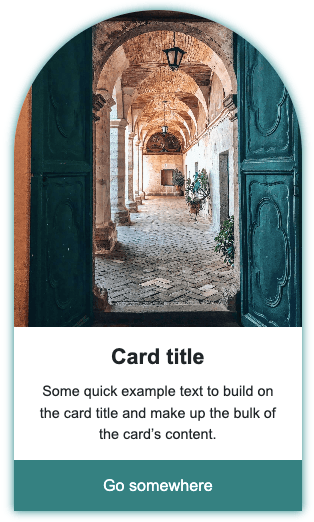
Simple profile card built with HTML and CSS. Features a circular profile image, rounded card corners, and a teal call-to-action button with a hover effect. Clean and minimal design that’s easy to customize for any project.
Final output:

John Doe
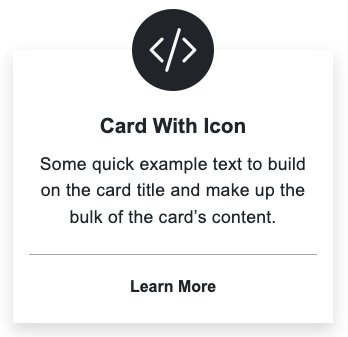
Some quick example text to build on the card title and make up the bulk of the card’s content.
Know More1. Let’s start with a .profile-card div. Inside it, add the profile image and a .card-body div.
<div class="profile-card">
    <img src="profile.jpg" alt="">
    <div class="card-body">
    </div>
</div>
Reset margins and style the card with a fixed width, padding, rounded corners, centered text, and a box-shadow.
* {
    margin: 0;
    box-sizing: border-box;
}
body {
    font-family: Arial, Helvetica, sans-serif;
}
.profile-card {
    width: 18rem;
    padding: 1.5rem 0.5rem 0.5rem;
    border-radius: 2rem;
    text-align: center;
    background-color: #fff;
    border: 1px solid rgba(0, 0, 0, .125);
    box-shadow: 0 5px 10px rgba(0, 0, 0, 0.2);
}
Output:
2. Make the image circular using border-radius: 50%. Set the width to 65% and use margin: 0 auto to center it. Add a soft box-shadow to lift it off the card background.
.profile-card img {
    width: 65%;
    border-radius: 50%;
    margin: 0 auto;
    box-shadow: 0 0 10px rgba(0, 0, 0, 0.2);
}
Output:
3. Fill in the .card-body with the name, description, and a link.
<div class="card-body">
    <h5 class="card-title">John Doe</h5>
    <p>Some quick example text to build on the card title and make up the bulk of the card's content.</p>
    <a href="#" class="btn">Know More</a>
</div>
Give .card-body some padding and set flex: 1 1 auto so it stretches to fill the remaining card height. Style the title with a larger font size, bold weight, and a small bottom margin.
.profile-card .card-body {
    flex: 1 1 auto;
    padding: 1rem;
}
.profile-card .card-body .card-title {
    font-weight: 700;
    font-size: 1.5rem;
    margin-bottom: .5rem;
}
.profile-card .card-body p {
    font-size: 1rem;
    text-align: center;
}
Output:
John Doe
Some quick example text to build on the card title and make up the bulk of the card’s content.
Know More4. Let’s style the button with a teal background, white text, and a pill shape using border-radius: 2rem. Add a hover state that lightens the background and adds a soft shadow.
.profile-card .card-body .btn {
    font-size: 1rem;
    cursor: pointer;
    display: inline-block;
    text-decoration: none;
    border-radius: 2rem;
    background-color: teal;
    color: #ffffff;
    padding: 0.6rem 1.5rem;
    line-height: 1.5;
    border: none;
}
.profile-card .card-body .btn:hover {
    background-color: rgba(0, 128, 128, 0.7);
    color: #ffffff;
    box-shadow: 0 0 10px rgba(0, 0, 0, 0.2);
}
Output:
John Doe
Some quick example text to build on the card title and make up the bulk of the card’s content.
Know MoreFinal Output Code for Profile Card HTML CSS #2:
HTML
<div class="profile-card">
    <img src="profile.jpg" alt="">
    <div class="card-body">
        <h5 class="card-title">John Doe</h5>
        <p class="card-text">Some quick example text to build on the card title and make up the bulk of the card's
            content.</p>
        <a href="#" class="btn">Know More</a>
    </div>
</div>
CSS
* {
    margin: 0;
    box-sizing: border-box;
}
body {
    font-family: Arial, Helvetica, sans-serif;
}
.profile-card {
    width: 18rem;
    padding: 1.5rem 0.5rem 0.5rem;
    border-radius: 2rem;
    text-align: center;
    background-color: #fff;
    border: 1px solid rgba(0, 0, 0, .125);
    box-shadow: 0 5px 10px rgba(0, 0, 0, 0.2);
}
.profile-card img {
    width: 65%;
    border-radius: 50%;
    margin: 0 auto;
    box-shadow: 0 0 10px rgba(0, 0, 0, 0.2);
}
.profile-card .card-body {
    flex: 1 1 auto;
    padding: 1rem;
}
.profile-card .card-body .card-title {
    font-weight: 700;
    font-size: 1.5rem;
    margin-bottom: .5rem;
}
.profile-card .card-body p {
    font-size: 1rem;
    text-align: center;
}
.profile-card .card-body .btn {
    font-size: 1rem;
    cursor: pointer;
    display: inline-block;
    text-decoration: none;
    border-radius: 2rem;
    background-color: teal;
    color: #ffffff;
    padding: 0.6rem 1.5rem;
    line-height: 1.5;
    border: none;
}
.profile-card .card-body .btn:hover {
    background-color: rgba(0, 128, 128, 0.7);
    color: #ffffff;
    box-shadow: 0 0 10px rgba(0, 0, 0, 0.2);
}
If you have any doubts or stuck somewhere, you can reach out through Coding Yaar's Discord server.