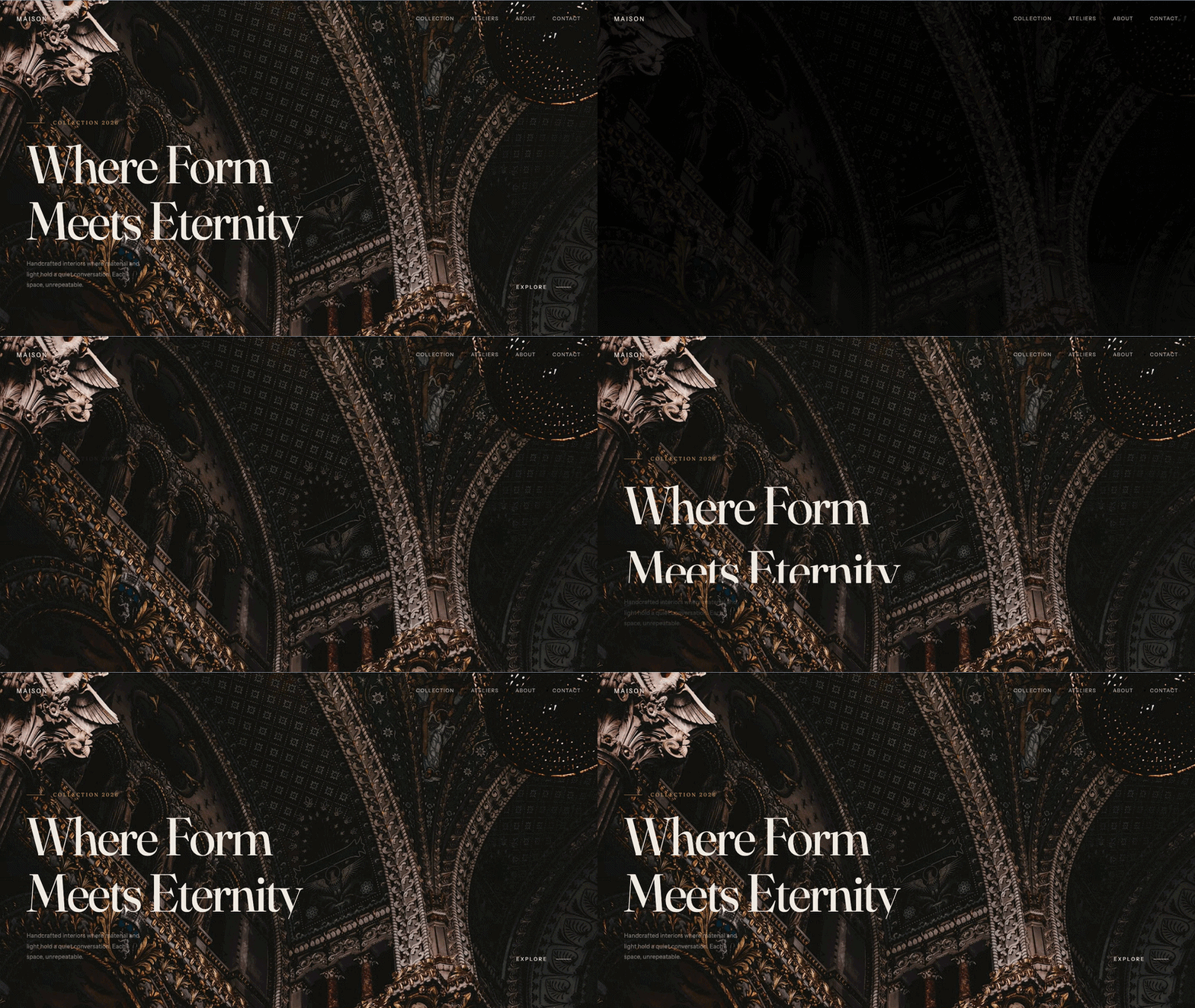
Responsive animated hero section built with HTML and CSS, enhanced with GSAP animations for smooth entrance effects and engaging visual interaction.
Includes staggered animations, clean layout structure, and optimized performance for fast loading and better user experience. Suitable for modern landing pages and portfolio websites, with easy customization and mobile-friendly design.
Final output:
Craft The
Extraordinary
Where bold vision meets meticulous execution. We transform ideas into unforgettable digital experiences.
1. Let’s start with a section element with the class hero-section. Inside it, add the tagline, heading, description, button, and a .gradient-rule div.
<section class="hero-section">
    <div class="tagline">Welcome to the future</div>
    <h1>Craft The <br> Extraordinary</h1>
    <p class="hero-description">Where bold vision meets meticulous execution. We transform ideas into unforgettable digital experiences.</p>
    <button>Get Started</button>
    <div class="gradient-rule"></div>
</section>
Link the DM Serif Display font from Google Fonts in the head. We’ll use this for the heading.
<link rel="preconnect" href="https://fonts.googleapis.com">
<link rel="preconnect" href="https://fonts.gstatic.com" crossorigin>
<link href="https://fonts.googleapis.com/css2?family=DM+Serif+Display:ital@0;1&display=swap" rel="stylesheet">
Output:
Craft The
Extraordinary
Where bold vision meets meticulous execution. We transform ideas into unforgettable digital experiences.
2. Reset margins and set the font family on the body. Give the hero section a dark background, set the width to 100%, and the minimum height to 100dvh so it fills the full viewport. Set text-align to center and use align-content: center to vertically center the content.
* {
    margin: 0;
    box-sizing: border-box;
}
body {
    font-family: Arial, Helvetica, sans-serif;
}
.hero-section {
    background-color: #0a0a0a;
    width: 100%;
    min-height: 100dvh;
    text-align: center;
    align-content: center;
    padding: 1rem;
}
Output:
Craft The
Extraordinary
Where bold vision meets meticulous execution. We transform ideas into unforgettable digital experiences.
3. Style the tagline with a small font size, a golden color, uppercase text, and a generous letter-spacing to give it that spaced-out label look.
.tagline {
    font-size: .875rem;
    color: #fcbb00e6;
    text-transform: uppercase;
    letter-spacing: 4px;
    margin-bottom: 2rem;
}
For the heading, use the DM Serif Display font and use clamp() for the font size so it scales smoothly between screen sizes. A tight line-height of 0.9 makes the large text feel more compact and impactful.
h1 {
    font-size: clamp(3rem, 12vw, 9rem);
    font-family: "DM Serif Display", serif;
    font-weight: 500;
    color: #f6f8fa;
    line-height: .9;
    margin-bottom: 2rem;
}
Output:
Craft The
Extraordinary
Where bold vision meets meticulous execution. We transform ideas into unforgettable digital experiences.
4. Style the description with a muted color and use clamp() again for the font size. Use margin-inline: auto to center it, and cap the width with max-width so it doesn’t stretch too wide on large screens.
.hero-description {
    color: #90a1b9;
    font-size: clamp(1rem, 2vw, 1.5rem);
    line-height: 1.625;
    max-width: 42rem;
    margin-inline: auto;
    margin-bottom: 3rem;
}
Style the button with an orange-to-red gradient, a pill shape using border-radius: 5rem, and some generous padding.
button {
    font-size: 1rem;
    font-weight: 600;
    line-height: 1.5;
    padding: 1.25rem 3rem;
    border-radius: 5rem;
    border: 0;
    color: #fff;
    background: linear-gradient(to right, #fe9a00, #f54a00);
    cursor: pointer;
}
Output:
Craft The
Extraordinary
Where bold vision meets meticulous execution. We transform ideas into unforgettable digital experiences.
5. The .gradient-rule is a thin vertical line that fades out below the button, connecting it visually to the bottom of the section. Give it a width of 1px, a fixed height, and a gradient from gold to transparent.
.gradient-rule {
    margin-inline: auto;
    width: 1px;
    height: 4rem;
    background: linear-gradient(#ffb900, transparent);
}
Output:
Craft The
Extraordinary
Where bold vision meets meticulous execution. We transform ideas into unforgettable digital experiences.
6. Now for the GSAP animation. Link the GSAP library just before the closing body tag.
<script src="https://cdn.jsdelivr.net/npm/gsap@3.15/dist/gsap.min.js"></script>Create a JS file and link it below. Use gsap.fromTo() to animate all direct children of .hero-section.
The from state starts each element 20px below its final position with an opacity of 0. The to state moves them to their natural position at full opacity.
The stagger option makes each element animate one after the other instead of all at once, which creates the smooth entrance effect.
gsap.fromTo(
    ".hero-section *",
    {
        y: 20,
        opacity: 0
    },
    {
        y: 0,
        opacity: 1,
        duration: .8,
        delay: 0.5,
        stagger: 0.25,
        ease: "power.in"
    }
);
Output:
Craft The
Extraordinary
Where bold vision meets meticulous execution. We transform ideas into unforgettable digital experiences.
Final Output Code for GSAP Hero Animation:
Head
<link rel="preconnect" href="https://fonts.googleapis.com">
<link rel="preconnect" href="https://fonts.gstatic.com" crossorigin>
<link href="https://fonts.googleapis.com/css2?family=DM+Serif+Display:ital@0;1&display=swap" rel="stylesheet">
HTML
<section class="hero-section">
    <div class="tagline">Welcome to the future</div>
    <h1>Craft The <br> Extraordinary</h1>
    <p class="hero-description">Where bold vision meets meticulous execution. We transform ideas into unforgettable
        digital experiences.</p>
    <button>Get Started</button>
    <div class="gradient-rule"></div>
</section>
CSS
  * {
      margin: 0;
      box-sizing: border-box;

  }

  body {
      font-family: Arial, Helvetica, sans-serif;
  }

  .hero-section {
      background-color: #0a0a0a;
      width: 100%;
      min-height: 100dvh;
      text-align: center;
      align-content: center;
  }

  .tagline {
      font-size: .875rem;
      color: #fcbb00e6;
      text-transform: uppercase;
      letter-spacing: 4px;
      margin-bottom: 2rem;
  }

  h1 {
      font-size: clamp(3rem, 12vw, 9rem);
      font-family: "DM Serif Display", serif;
      font-weight: 500;
      color: #f6f8fa;
      line-height: .9;
      margin-bottom: 2rem;
  }

  .hero-description {
      color: #90a1b9;
      font-size: clamp(1rem, 2vw, 1.5rem);
      line-height: 1.625;
      max-width: 42rem;
      margin-inline: auto;
      margin-bottom: 3rem;
  }

  button {
      font-size: 1rem;
      font-weight: 600;
      line-height: 1.5;
      padding: 1.25rem 3rem;
      border-radius: 5rem;
      border: 0;
      color: #fff;
      background: linear-gradient(to right, #fe9a00, #f54a00);
      z-index: 2;
      cursor: pointer;
  }

  .gradient-rule {
      margin-inline: auto;
      width: 1px;
      height: 4rem;
      background: linear-gradient(#ffb900, transparent);
      z-index: 1;
  }
Footer(before </body>):
<script src="https://cdn.jsdelivr.net/npm/gsap@3.15/dist/gsap.min.js"></script>JS:
gsap.fromTo(".hero-section *",
    {
    y: 20,
    opacity: 0
},
{
y: 0,
opacity: 1,
duration: .8,
delay: 0.5,
stagger: 0.25,
ease: "power.in"
});
If you have any doubts or stuck somewhere, you can reach out through Coding Yaar's Discord server.